 NICEtoREADtoo
, the app for people who love reading: your library, book clubs and classics in one place
A friendly guide to everything inside the app, from your personal reading list to literary events near home
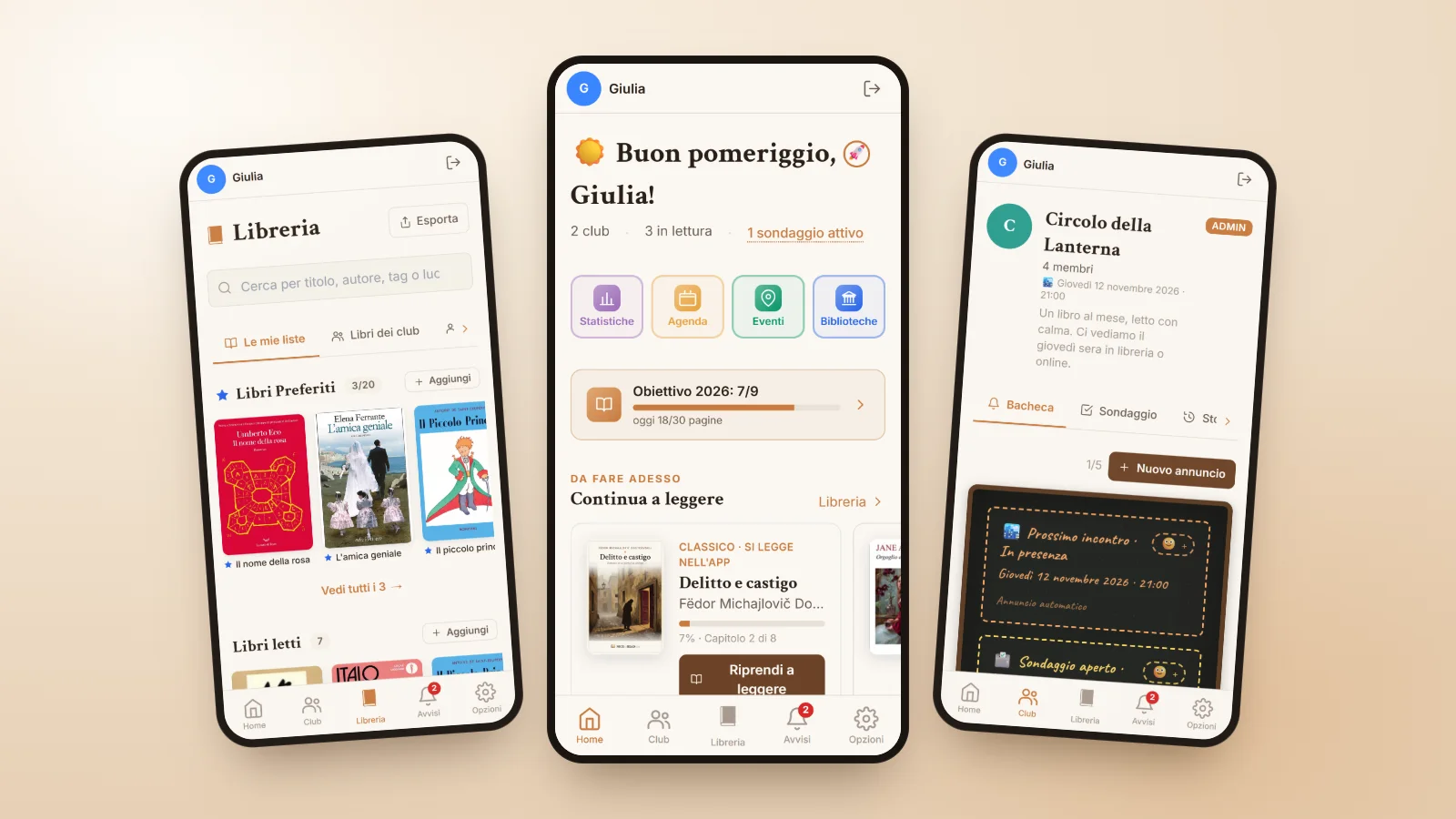
Anyone who loves reading knows the feeling: a title recommended by a friend that disappears into a note on your phone, a to-read list scattered across three different notebooks, a reading group organised in a chat where the meeting dates get lost among a hundred messages. NICEtoREADtoo was born from exactly this, from the wish for a reading app that brings together everything around books without making life more complicated.
In this guide we walk you through what you will find in the app and how to use it day to day. It is free, it works in English and Italian, you can download it from Google Play on Android and use it on iPhone and on your computer straight from nicetoreadtoo.com, with the same account and the same books on every device.
Your personal library, always in order
The heart of the app is the Library, your digital bookshelf split into four lists: Read, Reading, the Wishlist of books you want to read and Paused, for the ones you have put aside. Adding a book is quick, because you can search by title, author or ISBN, or simply scan the barcode with your phone camera.
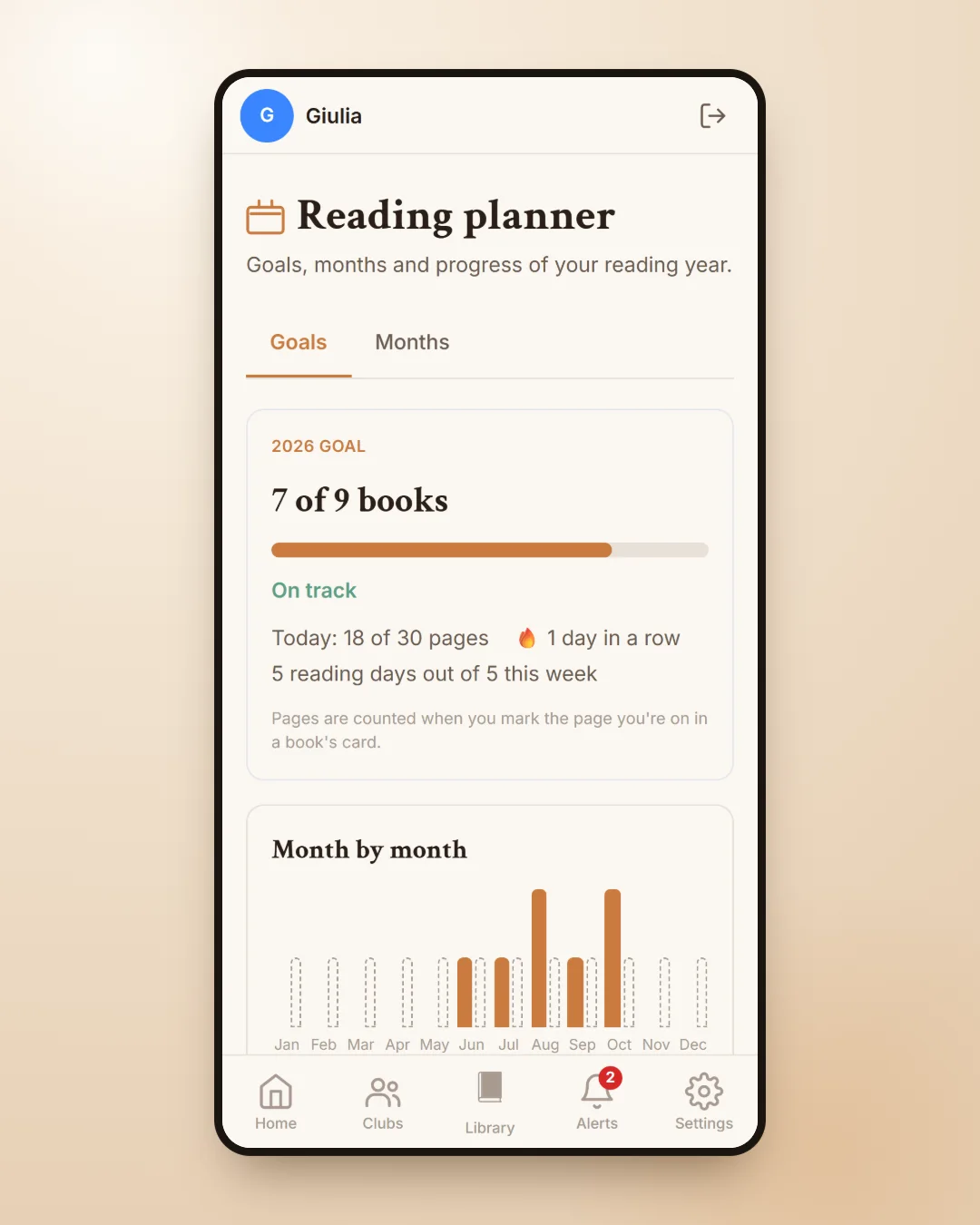
Every book has its own private page where you give it a rating, write a note, save the quotes that stayed with you, mark the places in the story and add tags that help you find it again. Your Favorite Books sit at the top, and the statistics show how many books you have read, month by month. If you want to go further, we wrote a dedicated guide on how to keep track of the books you read.
Reading recommendations that start from your taste
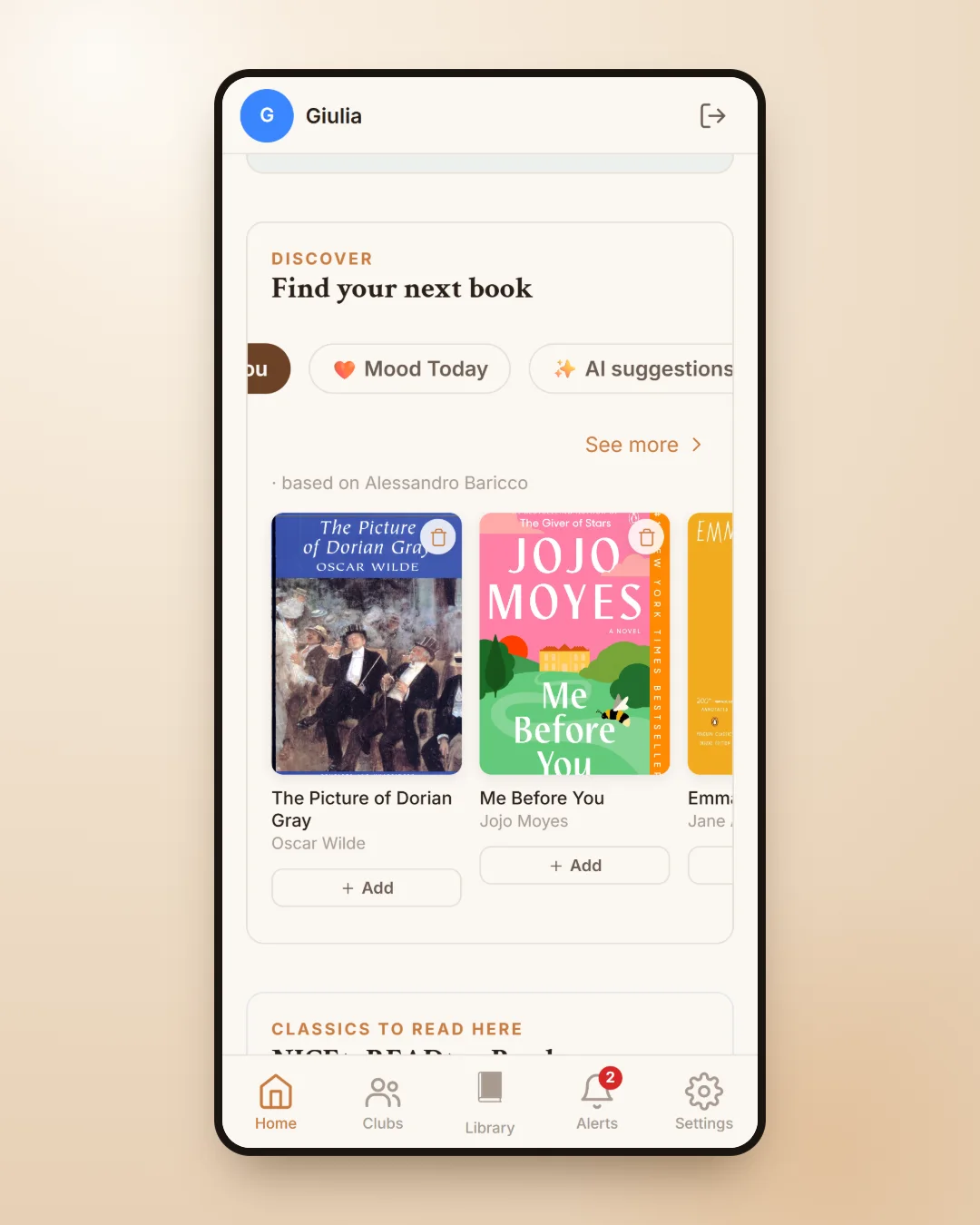
When you finish a book and have no idea what to read next, the Discover section on the Home page is there for you. Picked for you suggests titles close to the ones you loved, while Mood Today asks how you feel and which genre you fancy, then shows you five books chosen for that moment of your day.
Every week there is also room for the Community Books: from Monday to Thursday readers suggest a title, and on Friday morning the week's selection appears. With the paid plans you also get personalised suggestions made with artificial intelligence, based on the books you have read and the ratings you have given.
A book club with your friends, without the group-chat chaos
A book club works when it is easy to take part. NICEtoREADtoo clubs have a board for announcements and meetings, a poll where members suggest books and vote for the book of the month, and a reading progress view that shows which page everyone has reached. Clubs can meet in person or online, and you can look for one in your city or start your own with a Premium plan. All the details are in our guide to the online book club.
Great classics to read for free in the app
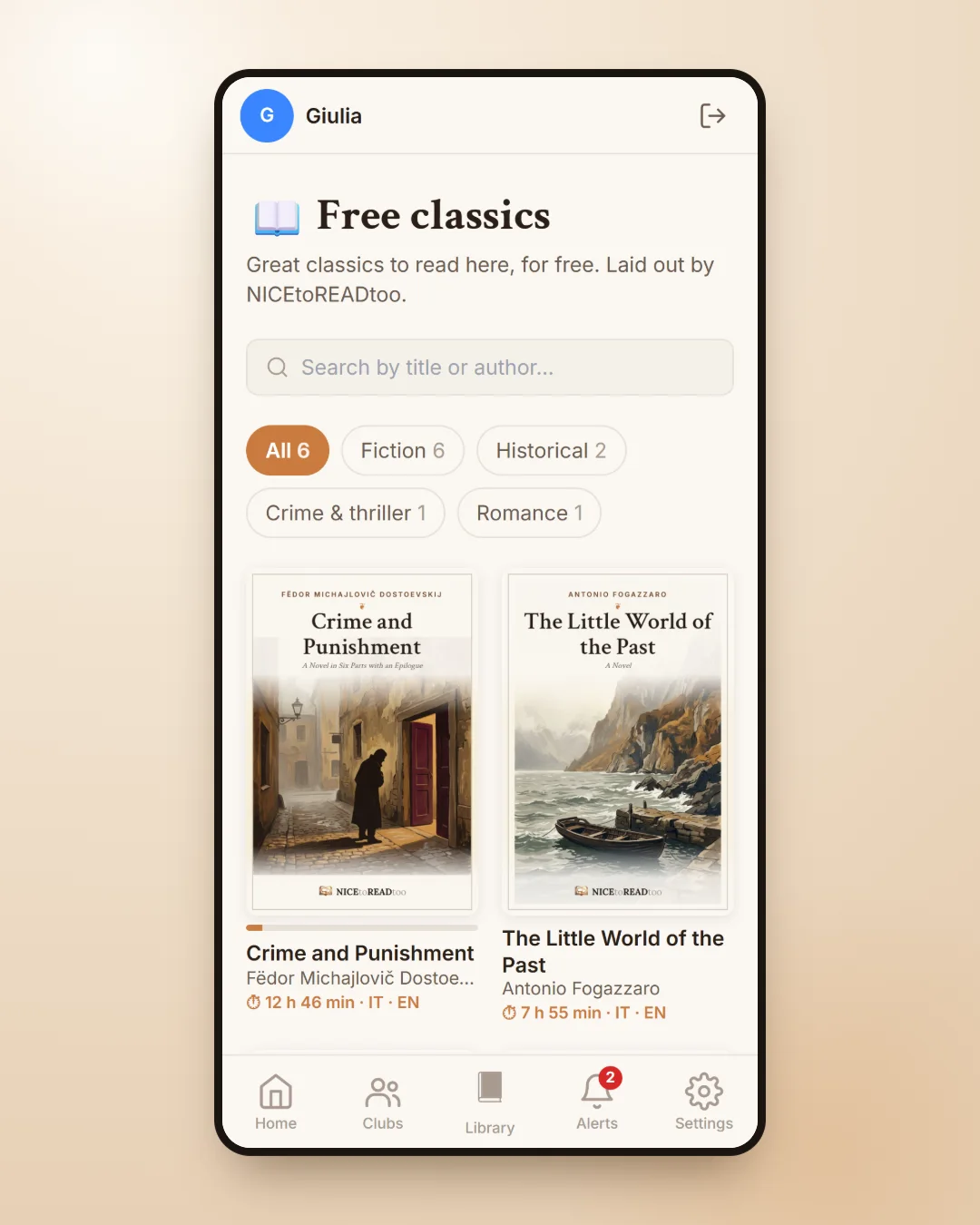
With NICEtoREADtoo Reader you read the great classics right inside the app, carefully laid out and, for some titles, available in both English and Italian. You choose the font, the text size and the page colour, and your place is saved automatically: when you open the book again, even on another device, you pick up exactly where you left off.
On the free plan you can read the classics marked as free straight away and, for every seven days you use the app, you can open another one of your choice. We explain it all in our guide to the free classics.
Literary events and libraries near you
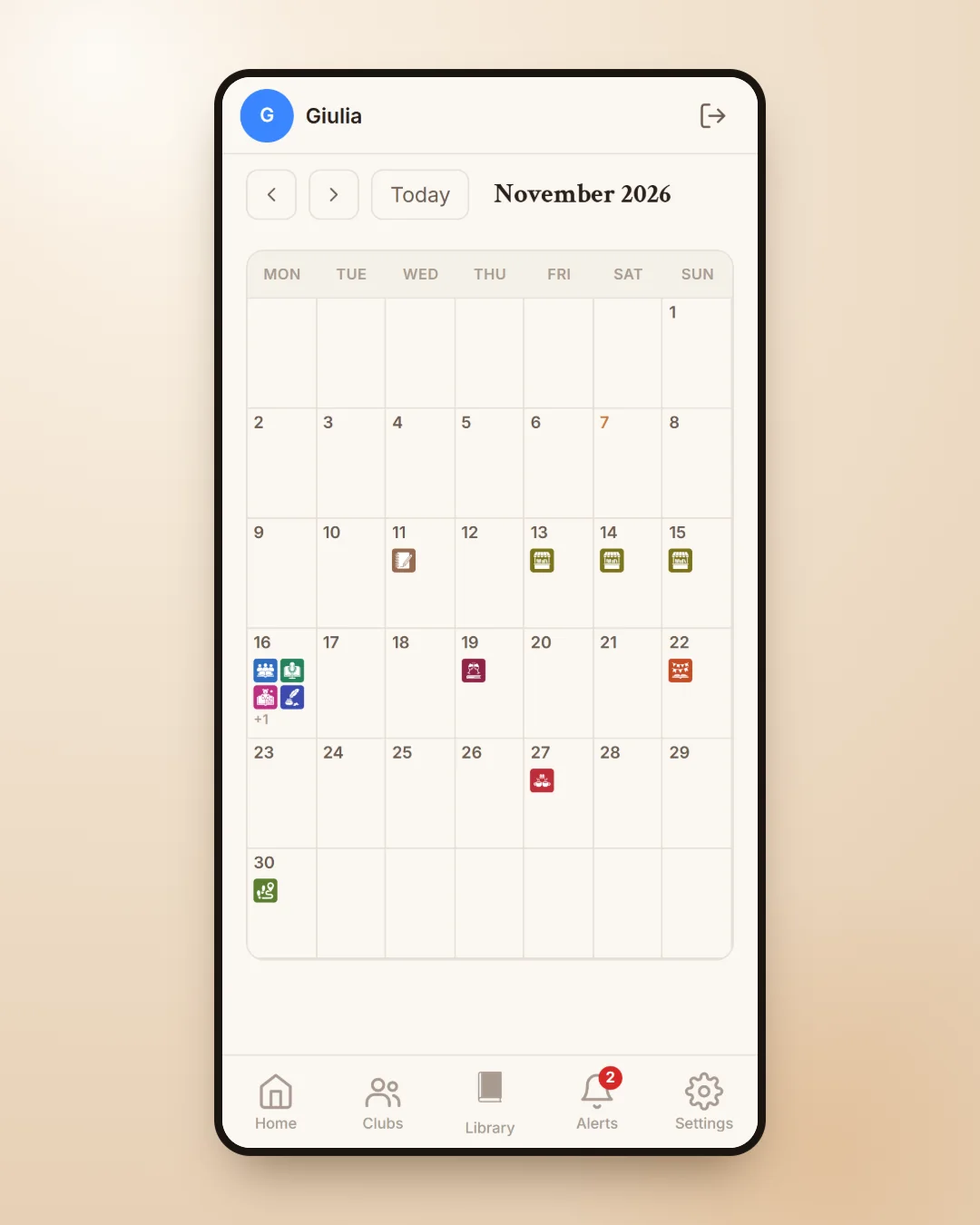
Reading also lives outside the house. In the Events section you will find a calendar of book launches, festivals, book fairs, reading groups and storytime for children, which you can filter by city and by type of event. We cover it in our guide to literary events near you.
And when you would like to borrow a book, the Libraries section searches the national catalogue of Italian libraries and shows which ones hold it, starting from your province. It is free on every plan, and we describe it in our guide on how to find a book in a library.
For writers: the Authors' Showcase
If you have written a book, or you work for a publisher, the Authors' Showcase lets you introduce it to the readers who love its genre, with a dedicated page and an excerpt they can read in the app. You can see how it works in our guide to the Authors' Showcase.
Free, and even more with a plan
The main features are free for everyone: the Library, book search, Mood Today, joining clubs, events, libraries and the free classics. If you want more, there are three plans. Plus removes the Library limits and adds AI suggestions, data export and all the classics. Premium lets you create and run your own clubs and publish events. Premium Plus is the most complete level, designed also for people who organise many groups or promote their own books.
If you would like to give it a try, you will find everything at nicetoreadtoo.com: an email address or a Google account is all you need, and your library is ready in a few minutes.
Frequently asked questions
Is NICEtoREADtoo free?
Yes. The main features are free: your personal library, book search, Mood Today, joining book clubs, events, the library search and the free classics. The Plus, Premium and Premium Plus plans raise the limits and add more tools.
Which devices does it work on?
On Android you download it from Google Play. On iPhone and on your computer you use it from nicetoreadtoo.com in the browser. Your account is the same everywhere, so your books follow you on every device.
Which languages is the app available in?
The app is in English and Italian, and you can switch language at any time in Settings. Some of the classics in the Reader are also available in both languages.
How do I add a book to my library?
In the Library tap Add in the list you want, then search for the book by title, author or ISBN, or use the barcode scanner with your phone camera.
Can I use the app without a book club?
Of course. Many people use it only as a personal library and reading journal, with statistics, the Reading planner and recommendations. Clubs are an extra, not a requirement.
Can other people see my notes and ratings?
The notes, quotes and places on your personal book page stay private. In clubs you decide what other members can see, for example your favourite books or your ratings.