 NICEtoREADtoo
How to keep track of the books you read: your personal library in NICEtoREADtoo
Books read, books in progress and books to read, quotes, statistics and a yearly goal: a reading journal that grows with you
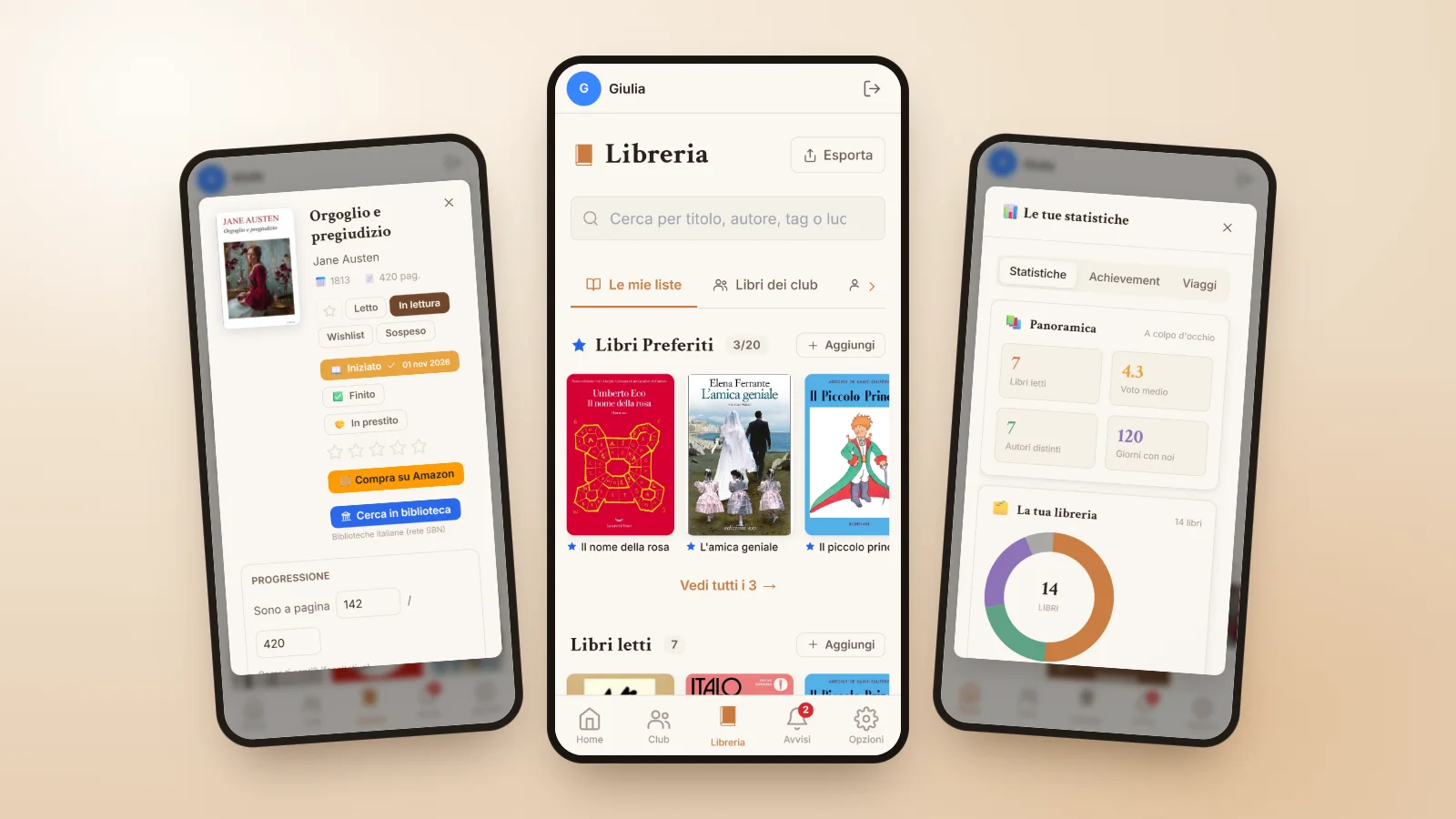
Keeping track of the books you read sounds like a small thing, until you buy a novel you already own, or cannot remember the title of that wonderful book you read two summers ago. A well-kept personal library is above all a pleasure: it shows you how far you have come, reminds you of what you enjoyed and helps you choose your next book with more confidence.
The NICEtoREADtoo Library is designed to be easy to use every day and rich enough to become a real reading journal. In this guide we look at how to organise it, how to annotate your books and how to use statistics and the Reading planner without turning reading into homework.
Four lists for all your books
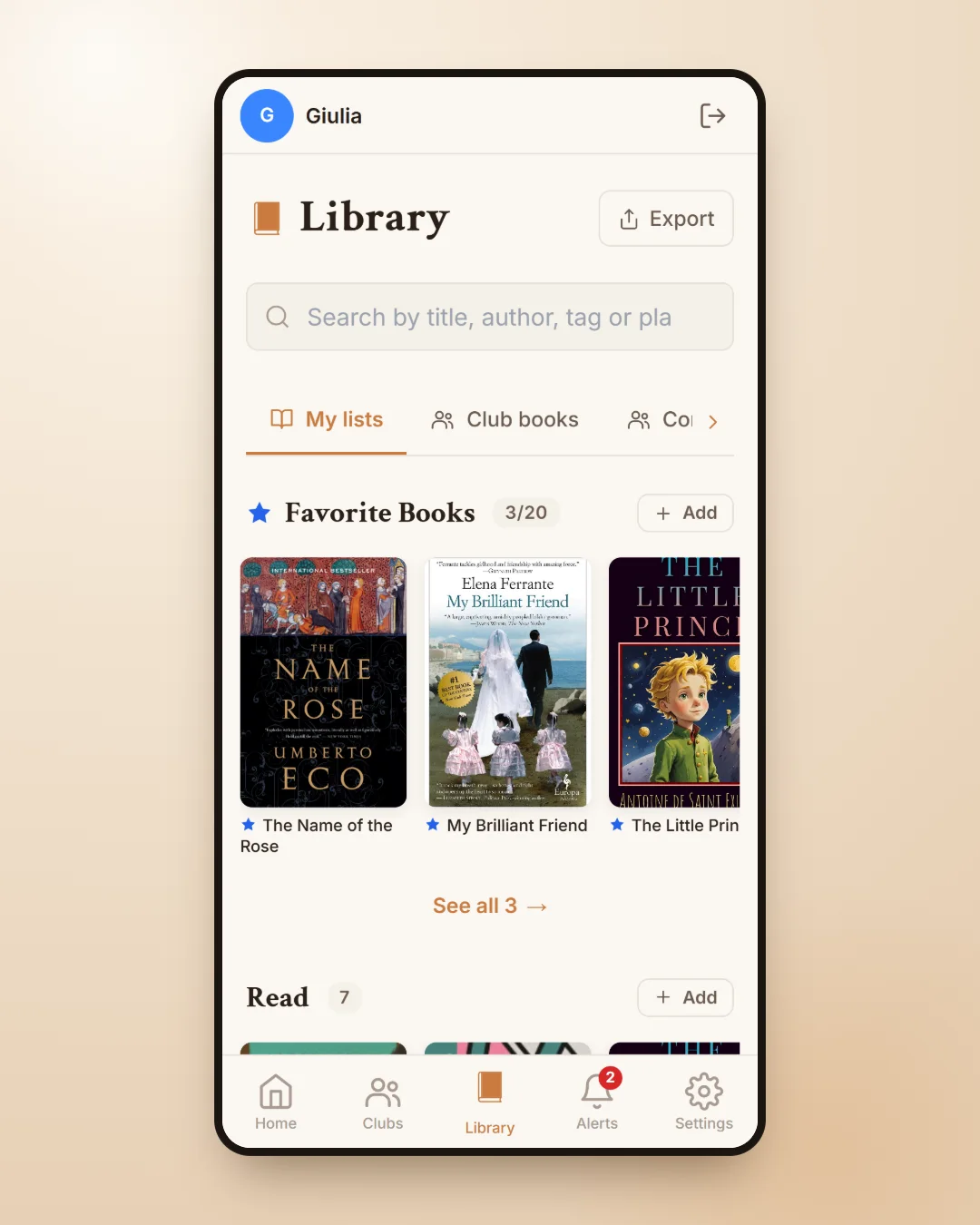
Your books are split into four lists: Read, Reading, Wishlist and Paused. The Wishlist is your classic to-read list, where you keep the titles friends recommended or the ones you spotted in a bookshop; Paused holds the books you have put aside without really giving up on them, so they do not get mixed up with the ones you are reading now.
To add a book you search by title, author or ISBN, or you scan the barcode with your camera, which is wonderfully handy when you are standing in front of your shelves and want to catalogue the books you already own. The search starts from the app's own archive, built partly on data from Italian libraries, and if it is not the right edition you can also search Google Books.
The book page: ratings, notes and quotes
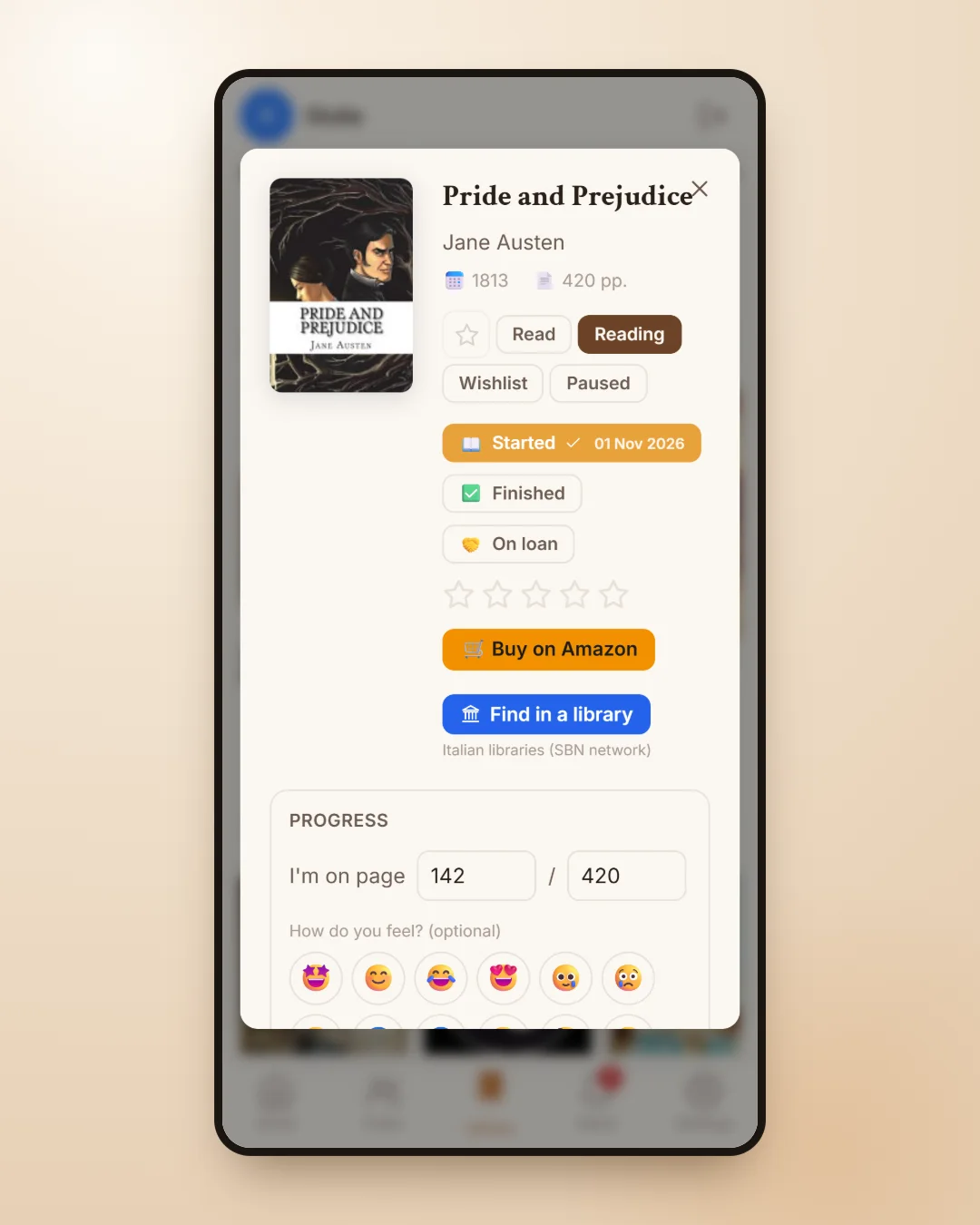
Every book has a page that is all yours. Here you note the day you started it and the day you finished it, give it a star rating, write a private note and save the quotes you want to remember, with the page number. You can also mark the places in the book, real or imaginary, and add the tags you like to find it again later: a mood, a theme, a genre.
In Progress you write which page you are on and, if you like, how you feel at that moment with an emoji. These are personal notes that nobody else sees. The books you love most go into your Favorite Books, up to twenty, and they stay at the top of the Library as a small window onto your taste.
Reading statistics that tell the story of your year
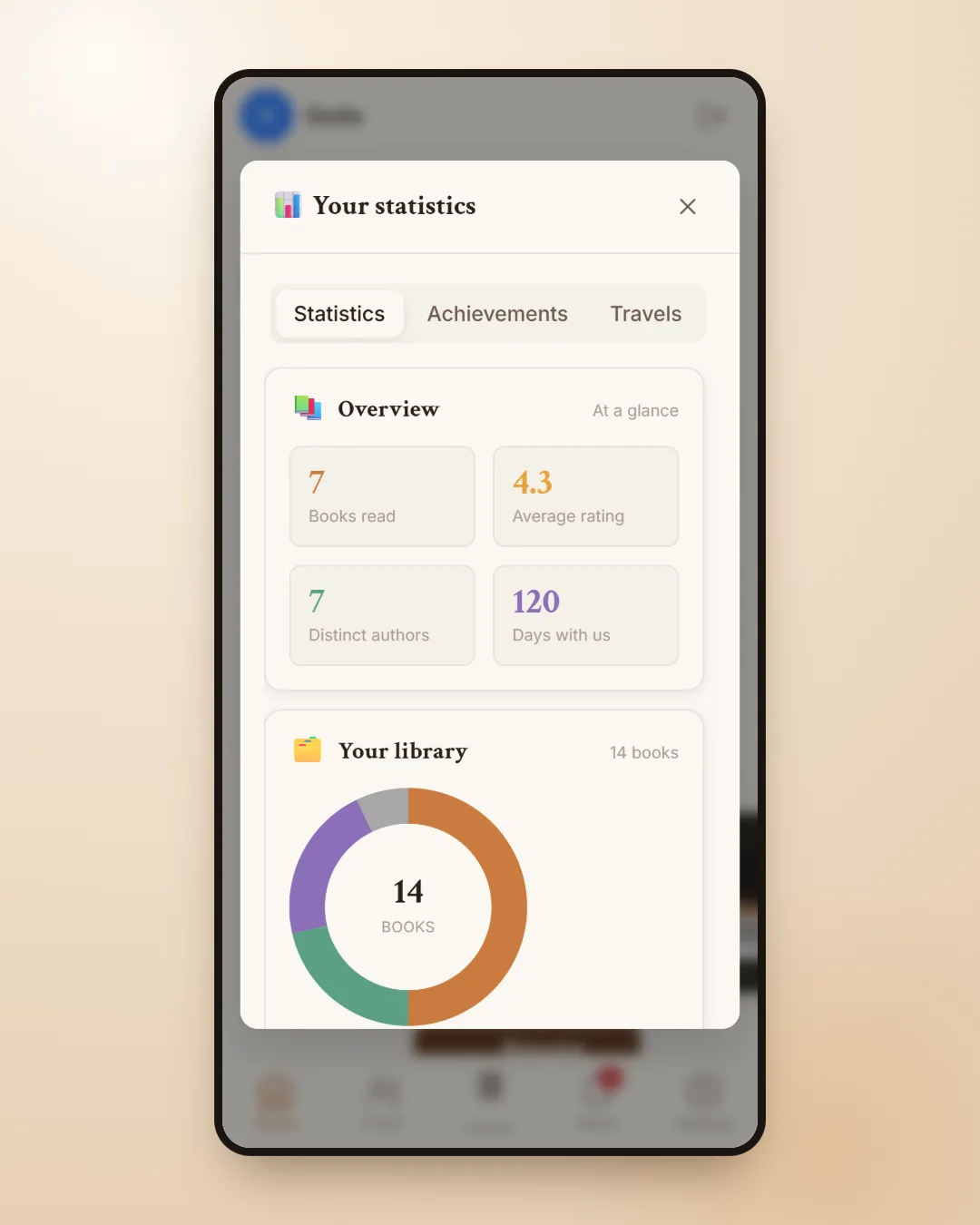
Statistics turn your library into a story. You can see how many books you have read, the average rating you give, how many different authors you have met, your reading by year and your pace month by month. There is also a section with achievements to collect and the Travels tab, an album of stamps from the places in the books you have read, which might even inspire you to choose your next novel by the city it is set in.
Next to the statistics you will find the Agenda, your personal calendar showing when you started and finished each book, the books you lent with a reminder to get them back, and your own notes. If you often lend books to friends, it is the easiest way to always know where they are.
A yearly reading goal, without the pressure
The Reading planner helps you set a goal for the year, for example twelve books, and see whether you are on track, ahead or a little behind. You can also add pages per day and reading days per week, and place books from your Wishlist in the months ahead. The books of the month from your clubs are added automatically, so the plan also counts the books you read together.
The nice part is that you can use it lightly: it is a gentle reminder, not a race. If you read less one month, the unfinished books move to the next month and the plan adjusts.
What is free and what the plans add
The Library is free for everyone. On the Free plan you can keep up to 85 books read, 5 in progress, 40 on your Wishlist and 10 paused, with unlimited book searches. With the Plus, Premium and Premium Plus plans the Library becomes unlimited, and you also get the Export / Import button, to export your books as PDF and CSV, back up your data and import a list from a CSV file, plus more room for quotes, tags and places.
If you also use clubs, your Library works with them: the second tab shows the books of the clubs you belong to, and you choose what other members can see. We talk about it in our guide to the online book club, and you will find an overview of the whole app in NICEtoREADtoo, the app for people who love reading.
Frequently asked questions
How can I keep track of the books I have read?
In NICEtoREADtoo you add each book to the Read list with the date you finished it, a rating and, if you like, a note and your favourite quotes. The statistics then show how many books you have read, month by month and year by year.
Can I add a book by scanning the barcode?
Yes. When you add a book you can use the barcode scanner with your phone camera, or search by title, author or ISBN.
How many books can I save on the free plan?
On the Free plan you can keep up to 85 books read, 5 in progress, 40 on your Wishlist and 10 paused. On the paid plans the Library is unlimited.
Are my notes and quotes private?
Yes. The notes on your personal book page, meaning your note, quotes, places and tags, stay private. In clubs you decide whether other members can see your favourite books, your lists or your ratings, never your notes.
Can I export or import my library?
Yes, with the Plus, Premium and Premium Plus plans. With the Export / Import button at the top of the Library you export your books as PDF and CSV, make a full backup and import a list from a CSV file, including one exported from other online book catalogues.
What happens if I delete a book?
You lose its rating, note and reading dates. Quotes, tags, places and playlists stay saved: if you add the same edition again, they come back.