 NICEtoREADtoo
Online and in-person book clubs: how to run one with NICEtoREADtoo
A board, a book of the month poll, reading progress and meetings: everything a reading group needs to work well
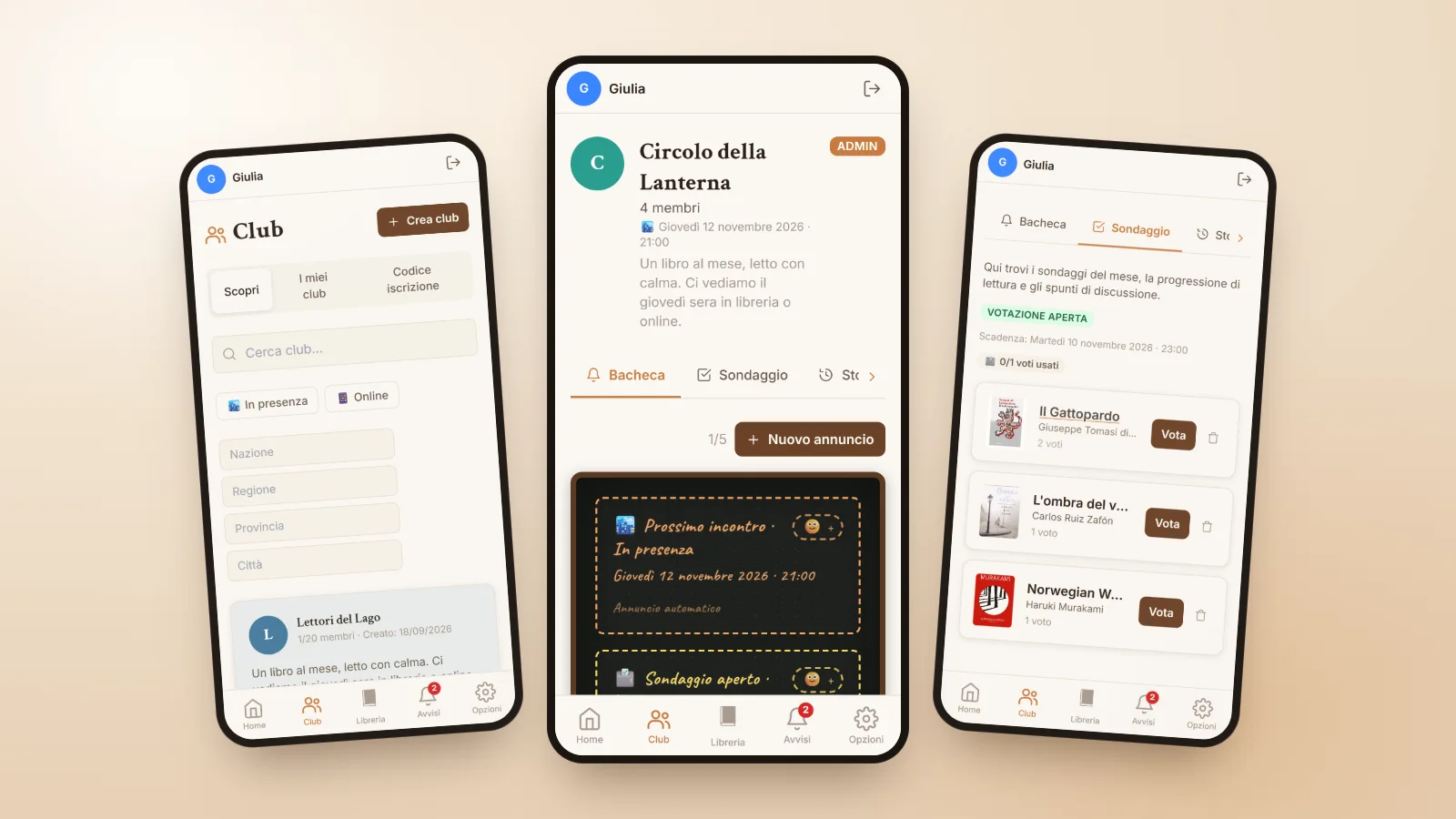
A book club is one of the loveliest things that can happen to a reader. You discover books you would never have picked on your own, you hear readings different from yours and, above all, you get a regular appointment with people who share the same passion. And yet many reading groups fade away for very practical reasons: nobody remembers the date of the next meeting, choosing the book turns into an endless debate, and after a couple of months the group chat is full of everything except books.
With NICEtoREADtoo clubs we tried to remove exactly these small frustrations. They work for an online book club just as well as for a group that meets in a bookshop or a living room, and every tool has a clear job.
Finding a club or starting your own
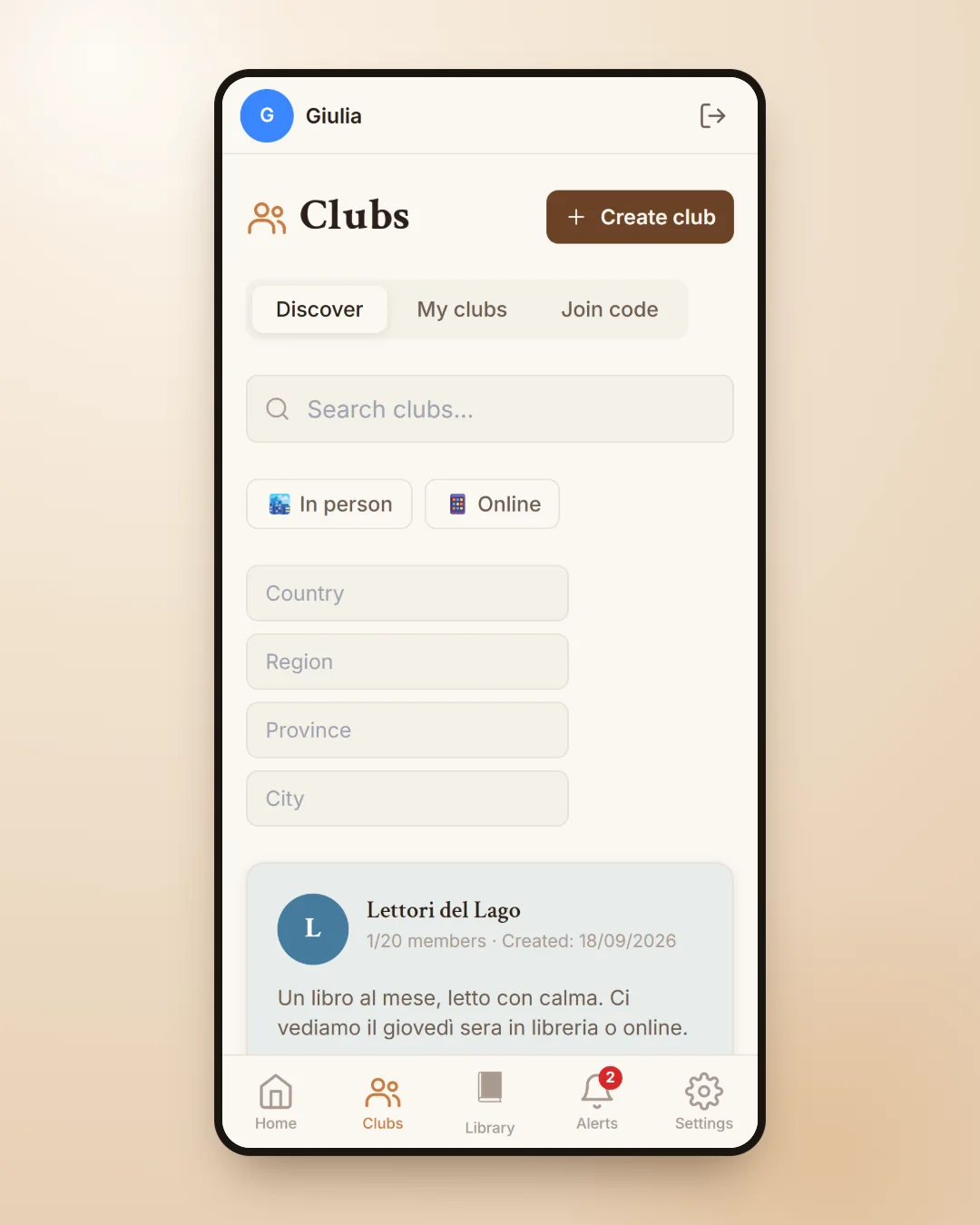
In the Clubs section the Discover tab shows the public clubs, which you can filter by country, region, province and city, or by how they meet, in person or online. When you find the right group you send a request to join, which the club manager approves. If a friend gave you a join code, you can use that directly in the Join code tab.
Joining is free: on the Free plan you can join up to two clubs, with Plus and Premium up to five, with Premium Plus as many as you like. To create your own club you need a Premium plan, which allows up to three clubs with twenty members each, or Premium Plus, with up to ten clubs and no limit on members.
The board: meetings and news always at hand
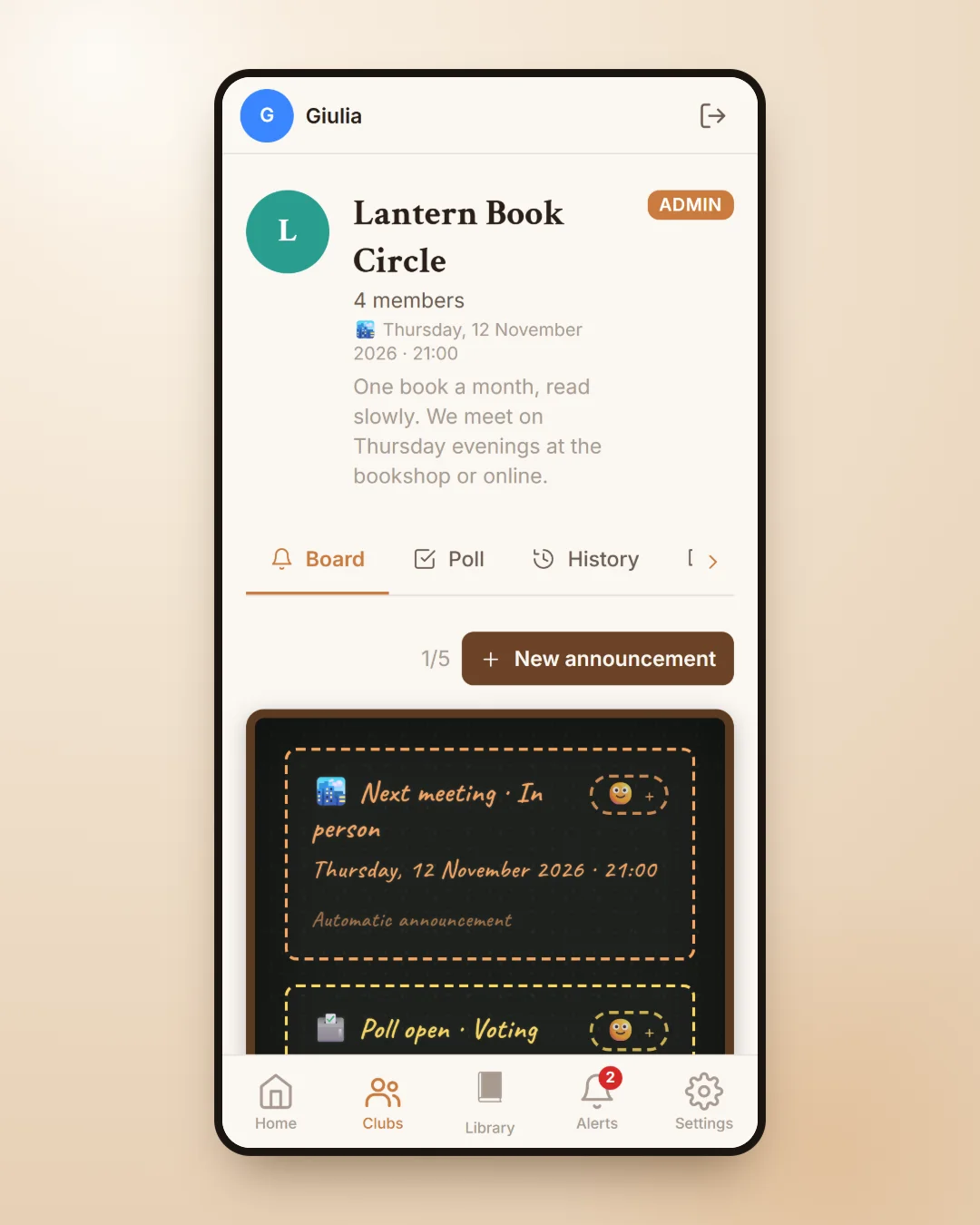
The board is where the club manager posts announcements: the date of the next meeting, a change of plan, an idea for the summer. Automatic announcements remind everyone of the meeting and the poll deadlines, and members with notifications turned on get a reminder the day before and on the day itself.
If the club meets online, an announcement can include the meeting link on Google Meet, Zoom, Discord, WhatsApp, Telegram, Microsoft Teams, Jitsi Meet or Whereby: one tap and you are in. Each post has a small reaction button, handy for letting people know you have read it without adding another message.
The poll for choosing the book of the month
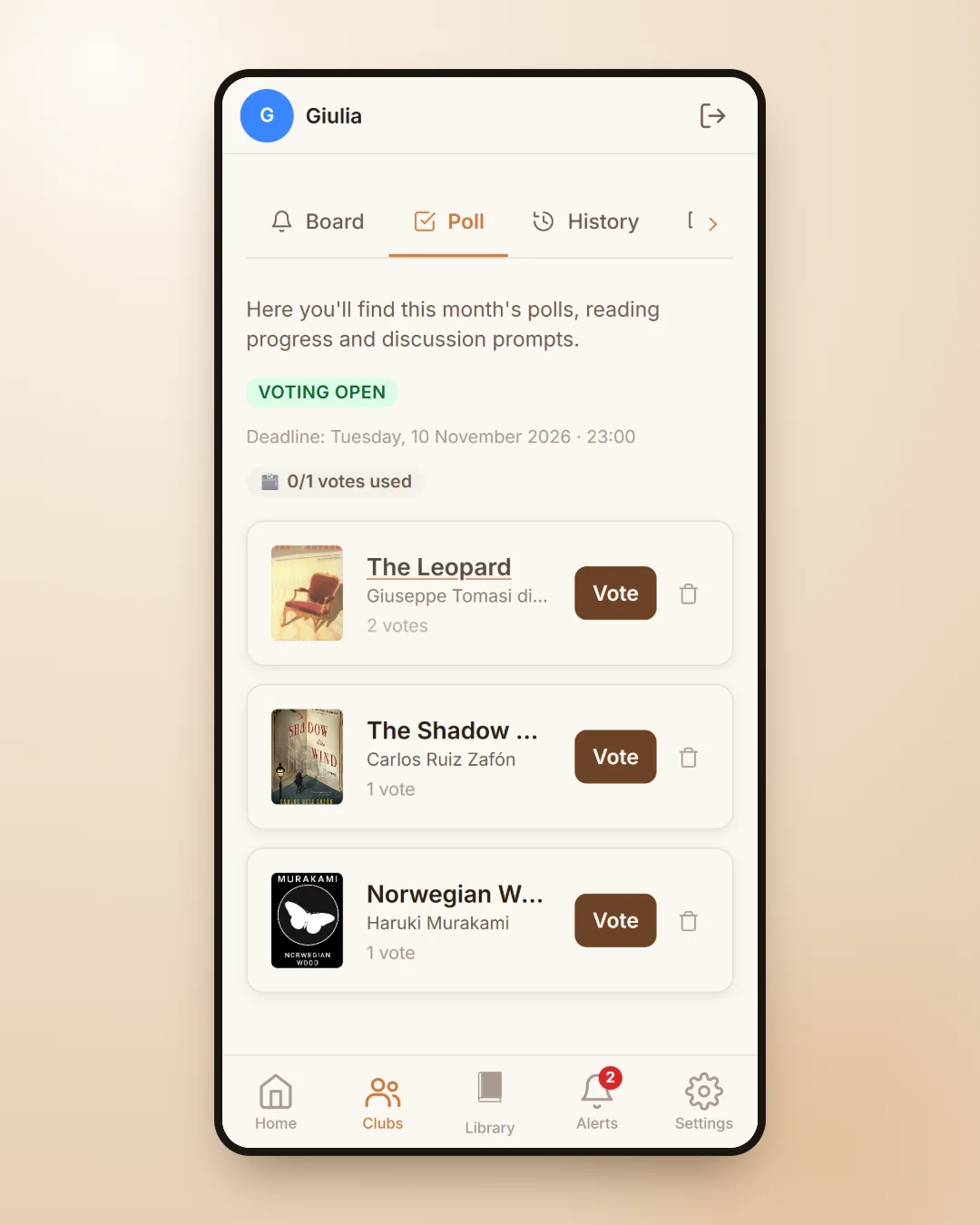
The heart of the club is the poll. Members suggest the books they would like to read, everyone votes, and the winning title becomes the book of the month. If two books tie, the club manager can choose or open a run-off between the tied books only. The History tab keeps every past poll, so the club has a record of everything it has read together.
When a meeting date is set, the same page also shows the Meeting Attendance poll: everyone says whether they will be there, and the organiser knows in advance how many chairs to put out.
Reading progress and questions without spoilers
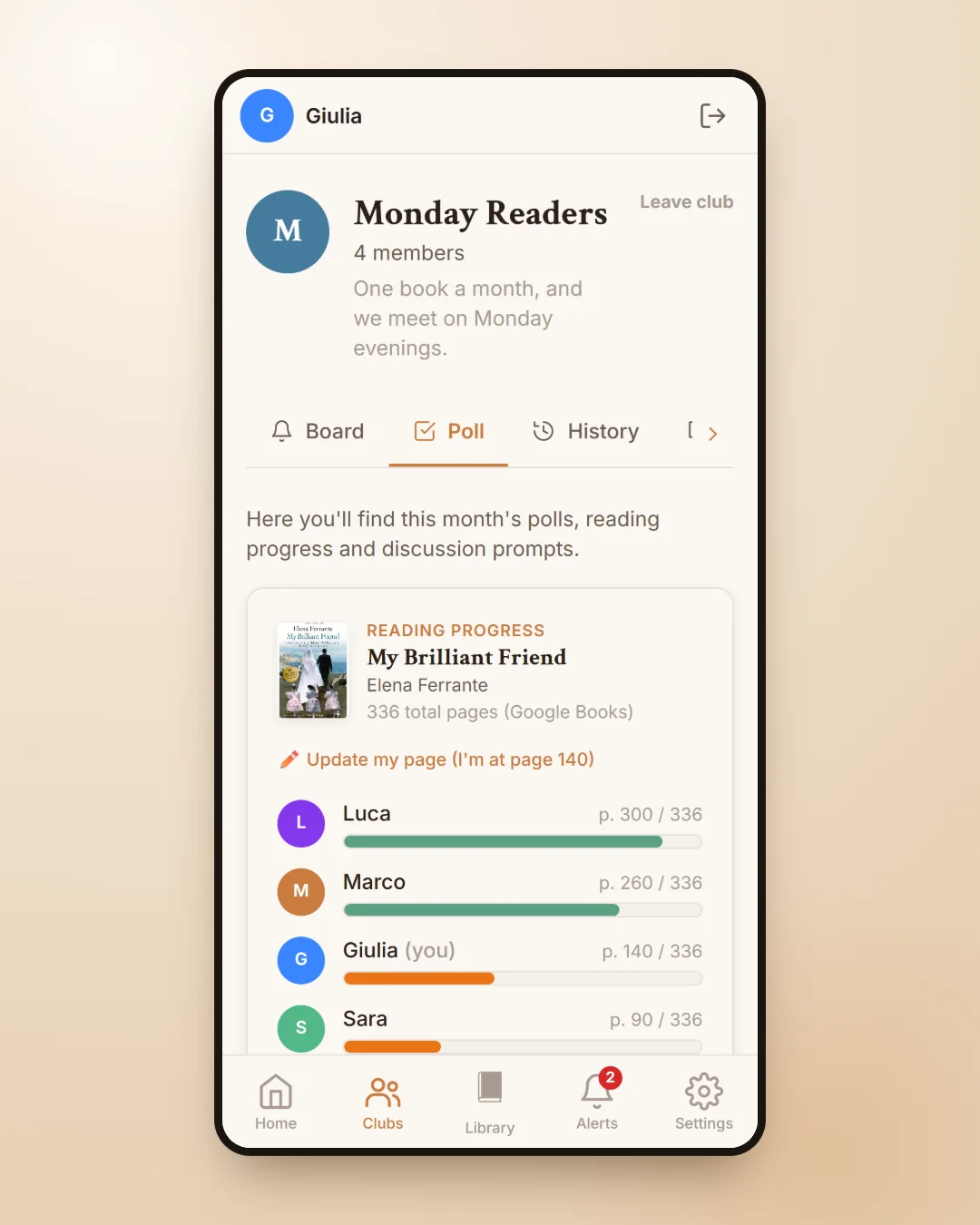
Everyone reads at their own pace, and that is how it should be. In the reading progress you mark the page you have reached and see where the other members are, without having to ask. Below it are the discussion prompts: each member can leave a question about the book, and the others' questions stay hidden until you choose to open them, because they might give away something you have not read yet.
Each club book also has a shared page where members add tags, quotes, places and playlists, and where you can see the club's average rating. It is a small shared archive that grows book after book.
A few tips for a reading group that lasts
- Agree on a pace you can keep, for example one book a month, and write it in the club description.
- Set the meeting date and place a few weeks ahead, so the reminder reaches everyone in good time.
- Let everyone suggest a book: the poll makes the choice lighter and fairer.
- Use the discussion prompts to prepare for the meeting, and save the most revealing questions for the evening itself.
If you also enjoy reading on your own, our guide to the personal library shows how to keep track of your books, and the one on literary events explains how to find book launches and reading groups in your city.
Frequently asked questions
How do you run an online book club?
With a Premium plan you create the club, choose the online mode and invite friends with the join code. In the board announcements you can add the meeting link, for example on Google Meet or Zoom, and the poll helps you choose the book of the month.
Is joining a book club free?
Yes. On the free plan you can join up to two clubs, with Plus and Premium up to five and with Premium Plus without limits. Creating and running a club requires a Premium or Premium Plus plan.
How many people can be in a club?
A club created with the Premium plan can have up to twenty members. With Premium Plus clubs have no member limit.
How is the book of the month chosen?
Members suggest books in the poll and then vote. The book with the most votes becomes the book of the month; if there is a tie, the club manager chooses or opens a run-off.
How do you avoid spoilers in discussions?
Other members' questions in the discussion prompts stay hidden until you choose to open them, and the reading progress tells you where everyone is before you talk about the book.
Can I find a book club in my city?
Yes. In the Discover tab you can filter public clubs by region, province and city, or choose online clubs only.