 NICEtoREADtoo
How to find a book in Italian libraries and see where it is near you
Searching the national SBN catalogue inside NICEtoREADtoo: editions, the libraries in your province and the pages of registered libraries
Libraries are one of the most generous treasures we have: thousands of books to borrow for free, sometimes a short walk from home, together with reading groups, book launches and people who know books better than any algorithm. And yet we often do not know whether the book we are looking for is right there, in the local library, or in the one in the next town, so we end up buying it or leaving it on our wishlist.
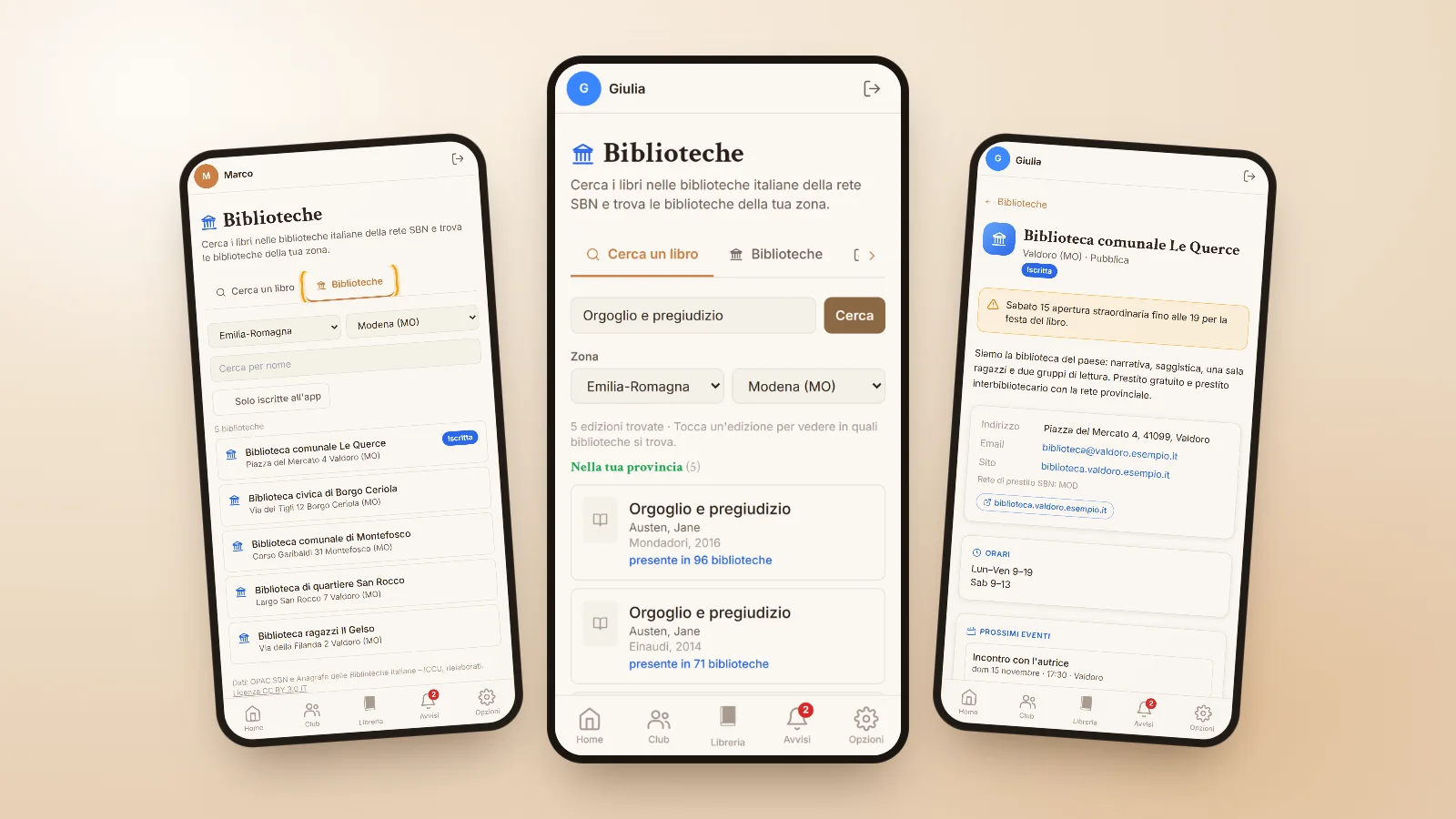
The Libraries section of NICEtoREADtoo was created to help you find a book in a library easily. It searches the catalogue of Italian libraries on the SBN network, Italy's national library catalogue, and shows you which libraries hold the book, starting from the ones in your area. It is free on every plan.
Where to start
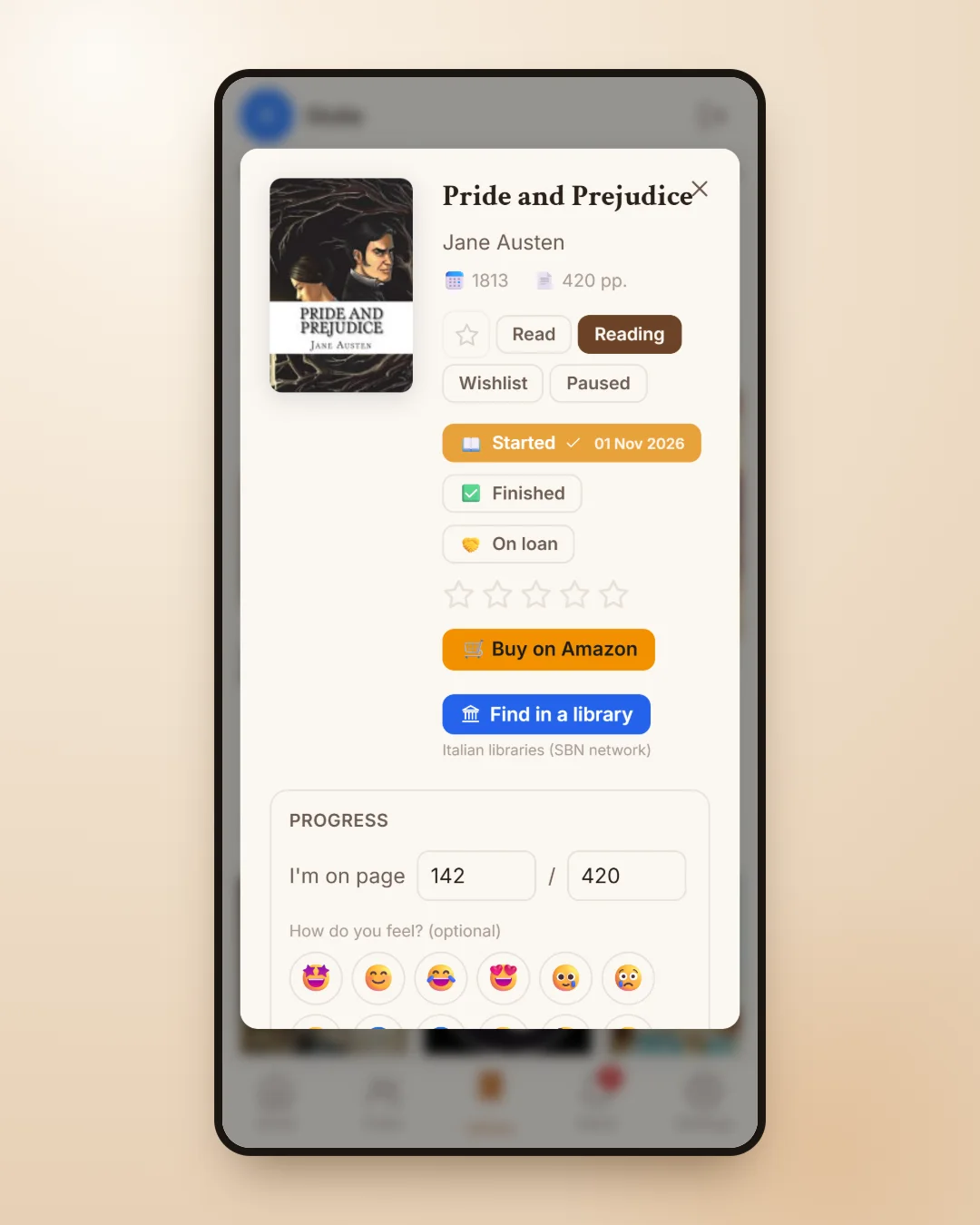
You can open the section from the Libraries button on the Home page, or straight from the page of any book in your Library with the Find in a library button. In that case the book is already filled in and the results start on their own: it is the quickest way to check whether the novel you just added to your wishlist is in a library nearby.
In Settings you set the region, province and city your searches start from. This information is private, nobody else sees it, and it is only used to put the most convenient libraries at the top.
Editions and the libraries in your province
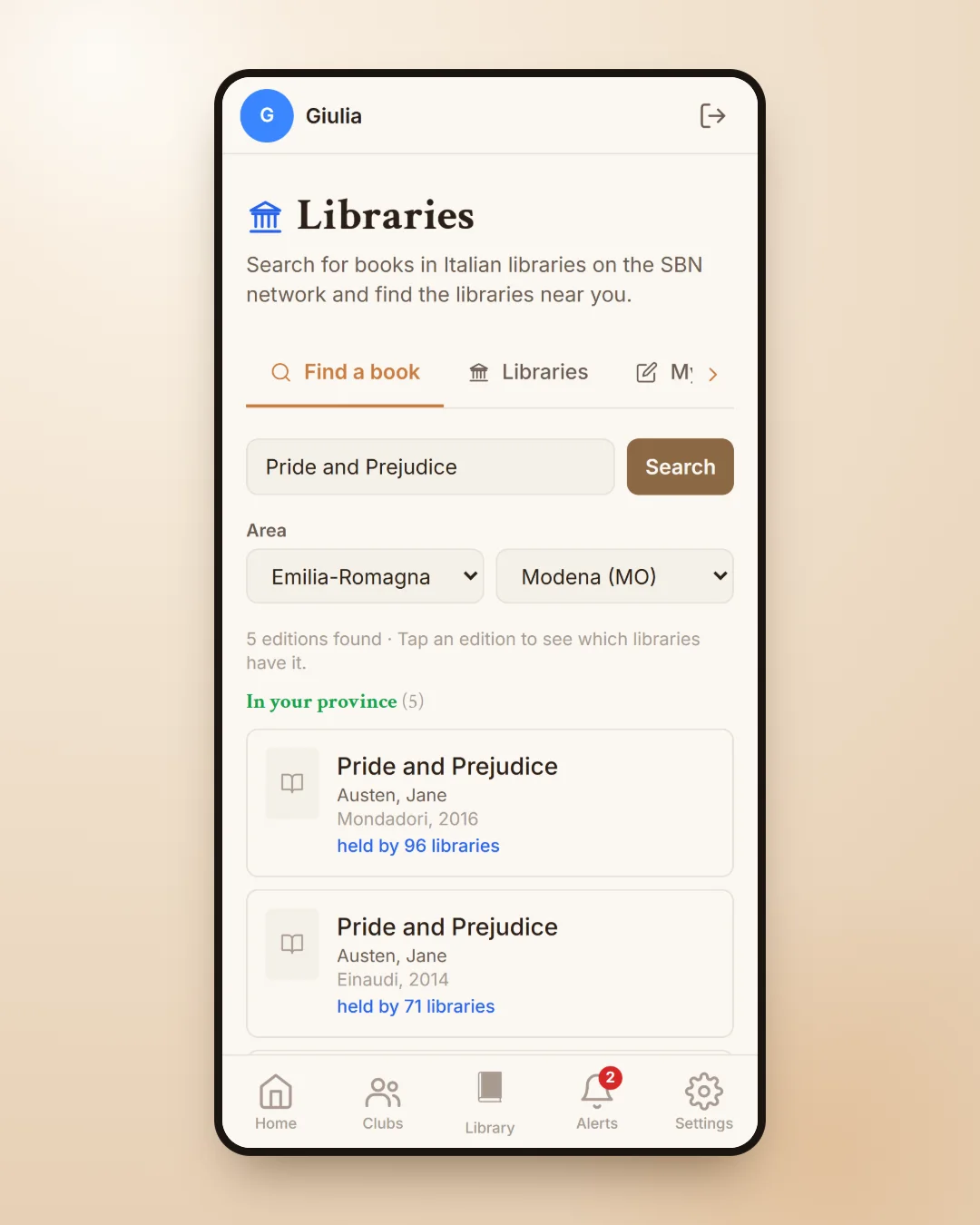
By typing a title, author or ISBN you find the editions in the catalogue, with the publisher, the year and the number of libraries that hold them. If you have chosen an area, the editions are already split: first those held by a library in your province, then those in your region, and with Show outside your area too you widen the search to the whole of Italy.
Tapping an edition shows where it is, with libraries sorted starting from you: first your province, then your lending network, because you can often ask your own library for a book held by another one in the same network, then your region. The catalogue tells you which libraries hold a book, not whether it is available right now: Check availability and reserve takes you to the library's own catalogue, where you can check and reserve the loan.
The libraries in your area and their pages
In the libraries tab you will find the list of Italian libraries, which opens on the ones in your province; you can pick another region or province, or search for a library by name. Each page has the address, phone number, email, website and lending network, and when the library is in the national catalogue you can search for a book on its shelves only.
Libraries registered in the app have a richer page: an introduction, a photo or logo, a highlighted notice, opening hours and their links, and above all the upcoming events and reading clubs they organise. With the Only libraries on the app switch you see just those.
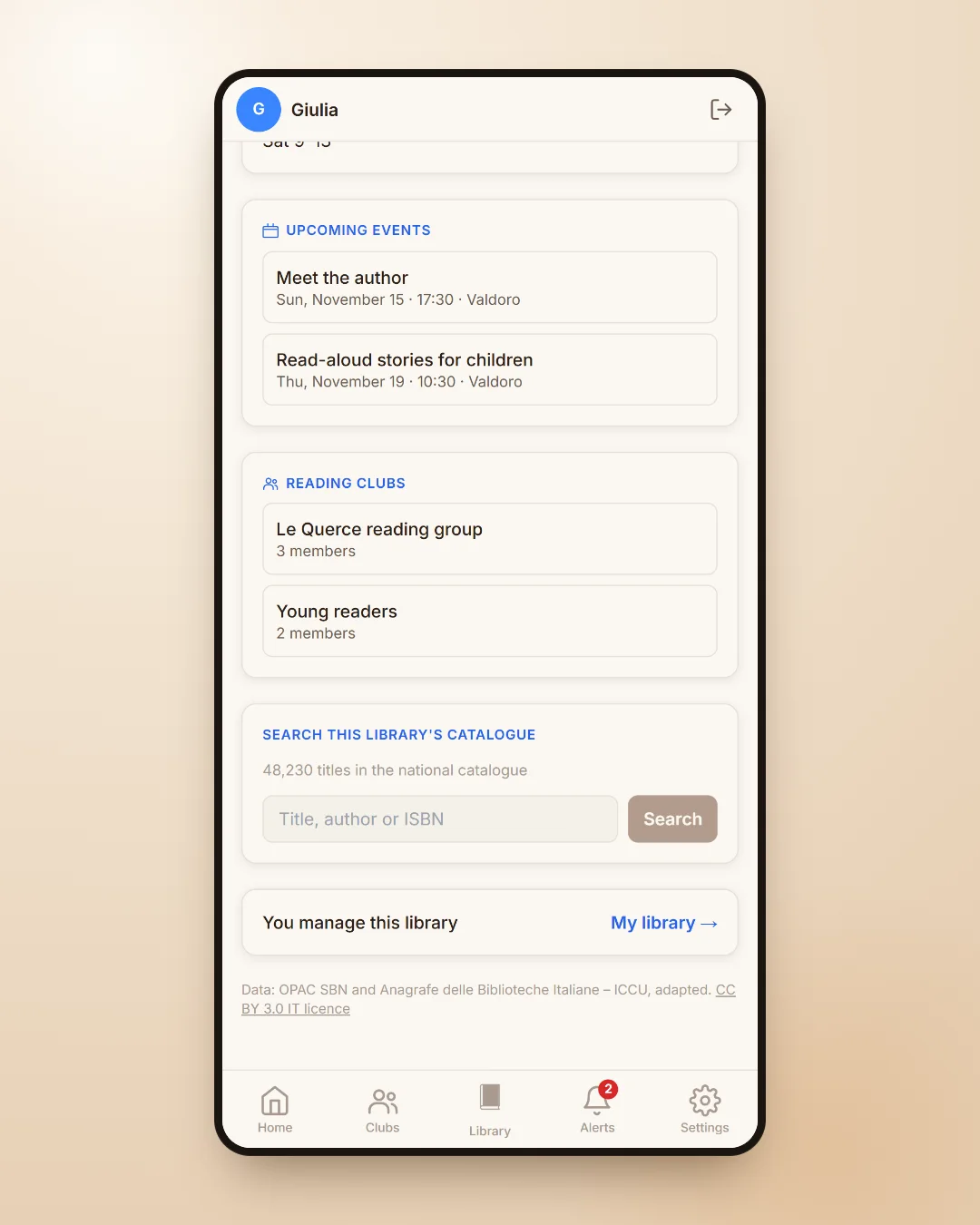
Do you work in a library? Here is what you can do
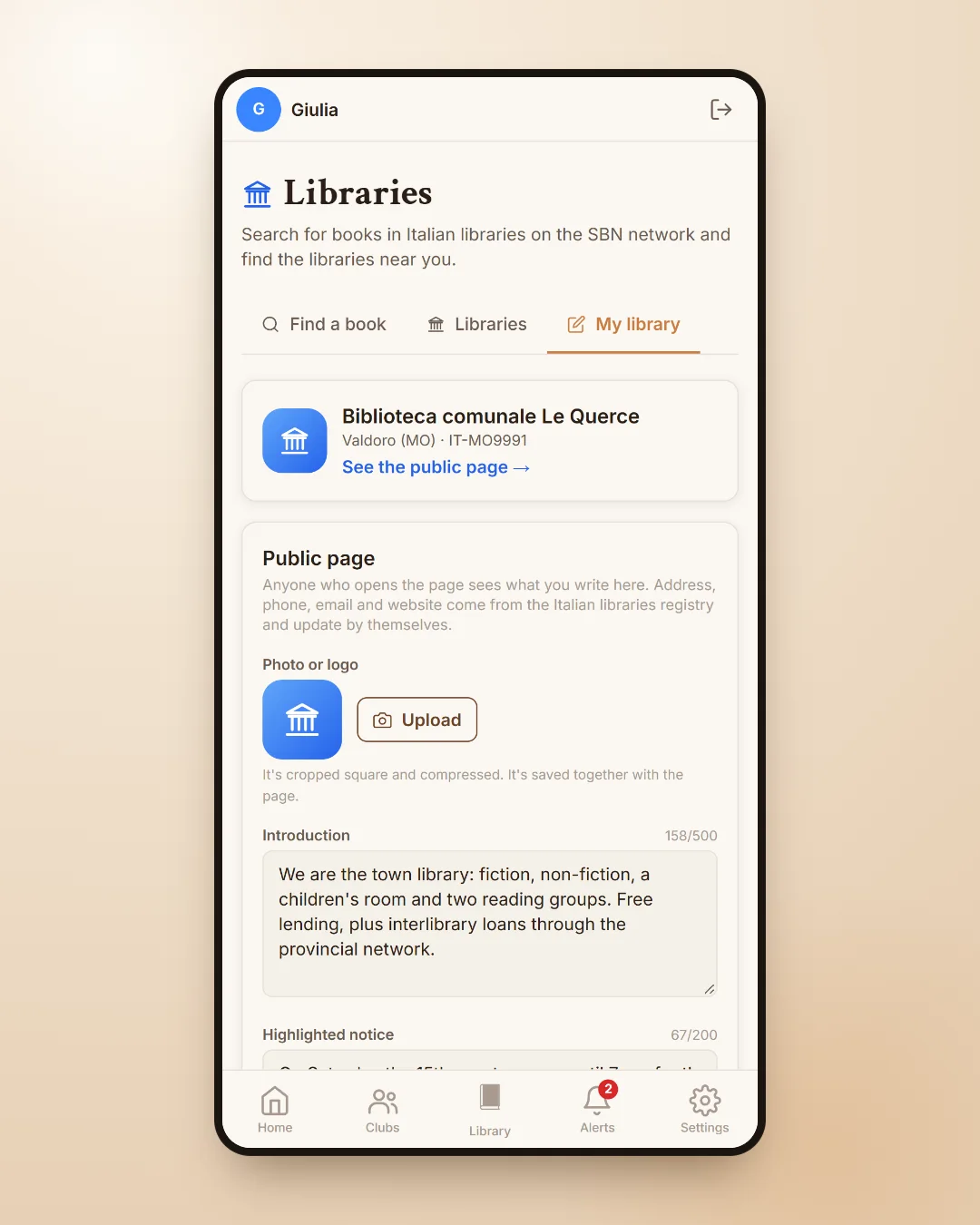
If you work in a library, registering it is simple. You sign up with the library's official email address, the one listed in the Registry of Italian Libraries: once the email is confirmed, the profile activates by itself. If you already have an account with another address, you can request a code from the library page that is sent to the official inbox, and entering it makes you a manager.
On the My library page you look after the public page, opening hours and notices, invite colleagues to manage it with you, publish up to ten events a month and create up to three reading clubs with no member limit. All the details are on the page for libraries.
A small piece of advice
Before buying a book you are not sure about, try looking for it in a library: if it is there, you can read it at your own pace and, if it wins you over, buy it afterwards or give it to someone. And if your library runs a reading group, it could be the start of a lovely habit; to set up a group of your own there is our guide to the online book club, and for book launches and talks the one on literary events near you.
Frequently asked questions
How can I find out which library has a book?
In the NICEtoREADtoo Libraries section type the title, author or ISBN, or tap the library button on the book page: you see the editions in the national SBN catalogue and the libraries that hold them, starting from your province.
Is the library search free?
Yes, the Libraries section is free on every plan of the app, including Free.
Can I see whether the book is available to borrow right now?
The national catalogue shows which libraries hold a book, not whether it is available at this moment. Check availability and reserve takes you to the library's catalogue, where you can check it and reserve it.
Which libraries are included?
Italian libraries on the SBN network, Italy's National Library Service, together with the list of libraries in the national Registry, with addresses, contacts and lending networks.
How do I register my library in the app?
Sign up with the library's official email address listed in the Registry of Italian Libraries: once the email is confirmed, the profile activates by itself. Alternatively, request a code from the library page that is sent to the official inbox.
Can other people see my area settings?
No. The region, province and city you set in Settings are only used to sort the results and stay private.