NICEtoREADtoofor libraries IT Find your library

For libraries · free to join

Your library,closer to its readers

NICEtoREADtoo is the app where readers organise their reading, take part in book clubs and look for books in the libraries near them. Every library open to the public and listed in the Italian Libraries Registry already has its page here: by signing up, free of charge, you can look after it yourselves, publish your events and open reading clubs on behalf of the library.

  • Free to join
  • Ready in a few minutes
  • Events and clubs in the library's name
  • Several colleagues on the same page

What you get

What changes for your library

A page written by you

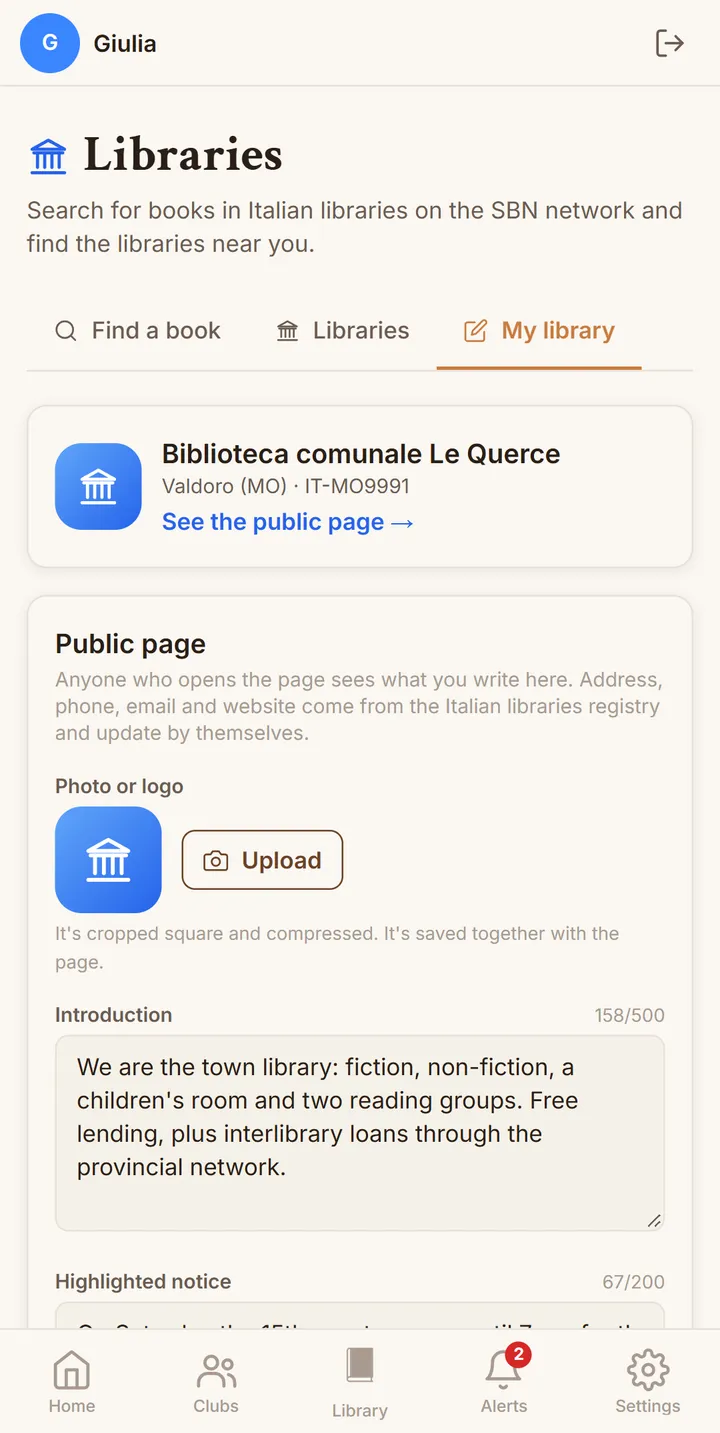
To the page with your address and contacts you add a photo or logo, an introduction, your opening hours and links to your website and social media, choosing which contacts to show. Whoever opens it finds in one place everything the library wants people to know about it.

Notices that take themselves down

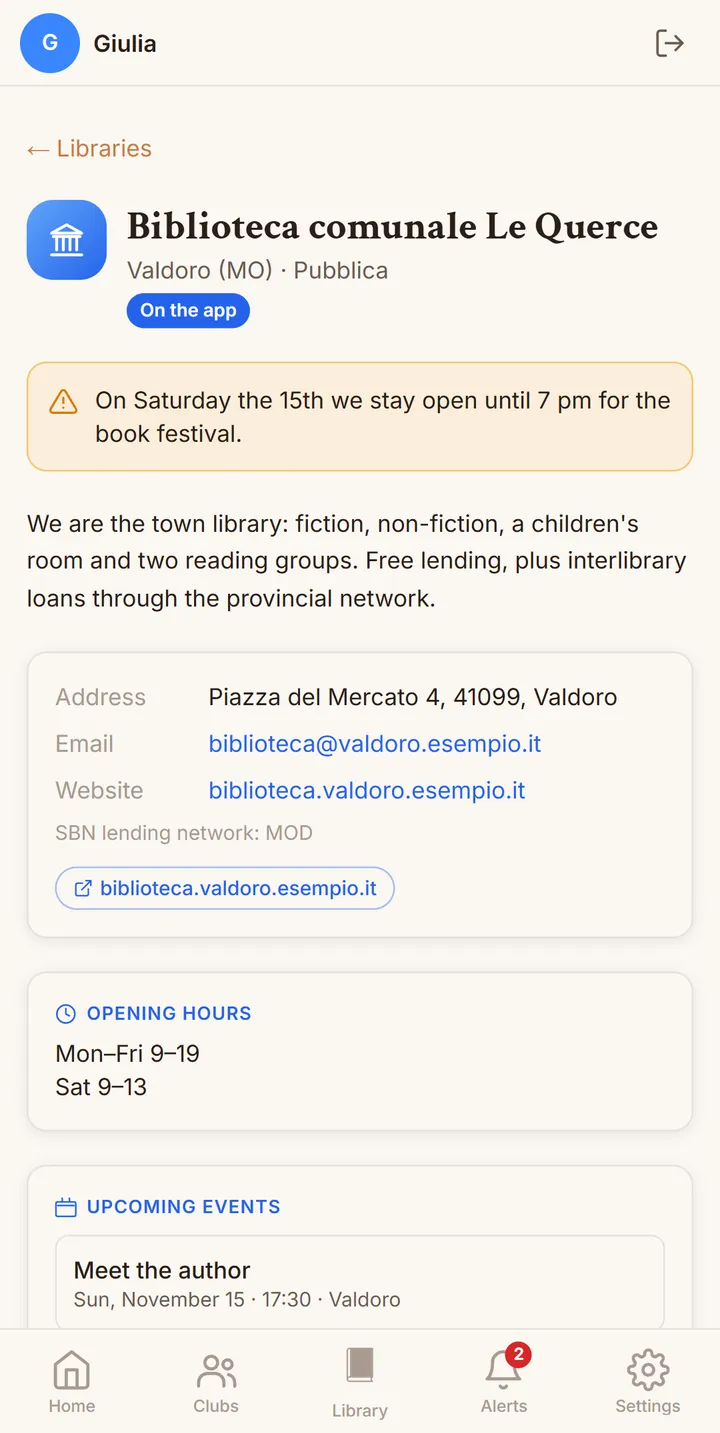
A closure for stocktaking or a special opening is shared through a highlighted notice at the top of the page; if you set how long it applies, it disappears by itself after that day and you do not have to remember to remove it.

Your events in front of local readers

Book launches, read-aloud sessions and author talks are published on behalf of the library, up to ten a month, and appear among the app's events and in the "Upcoming events" section of your page, with the library's name clearly shown.

Reading clubs with no seat limit

You can open at least three library reading clubs with no maximum number of members: whoever joins suggests books, chooses the next one through polls and follows the group's meetings, including between one session at the library and the next.

Your catalogue within reach

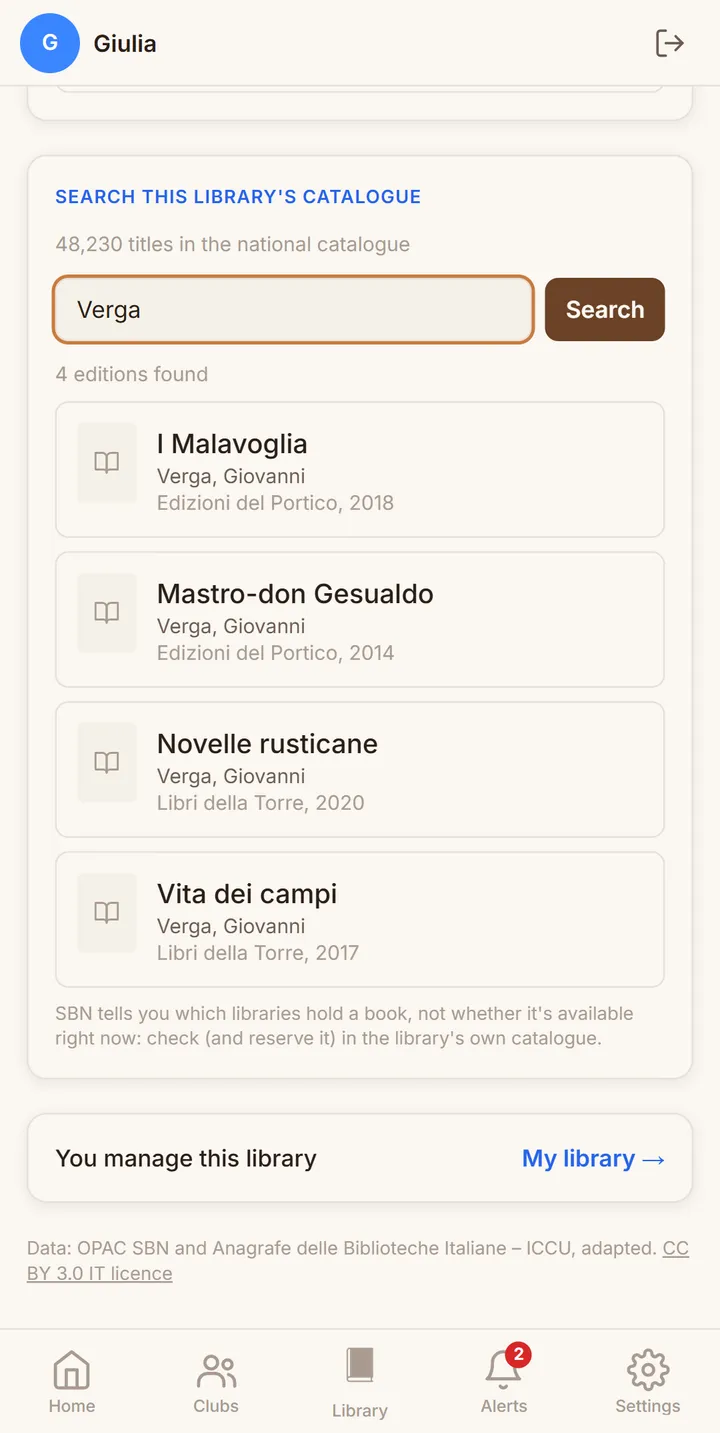
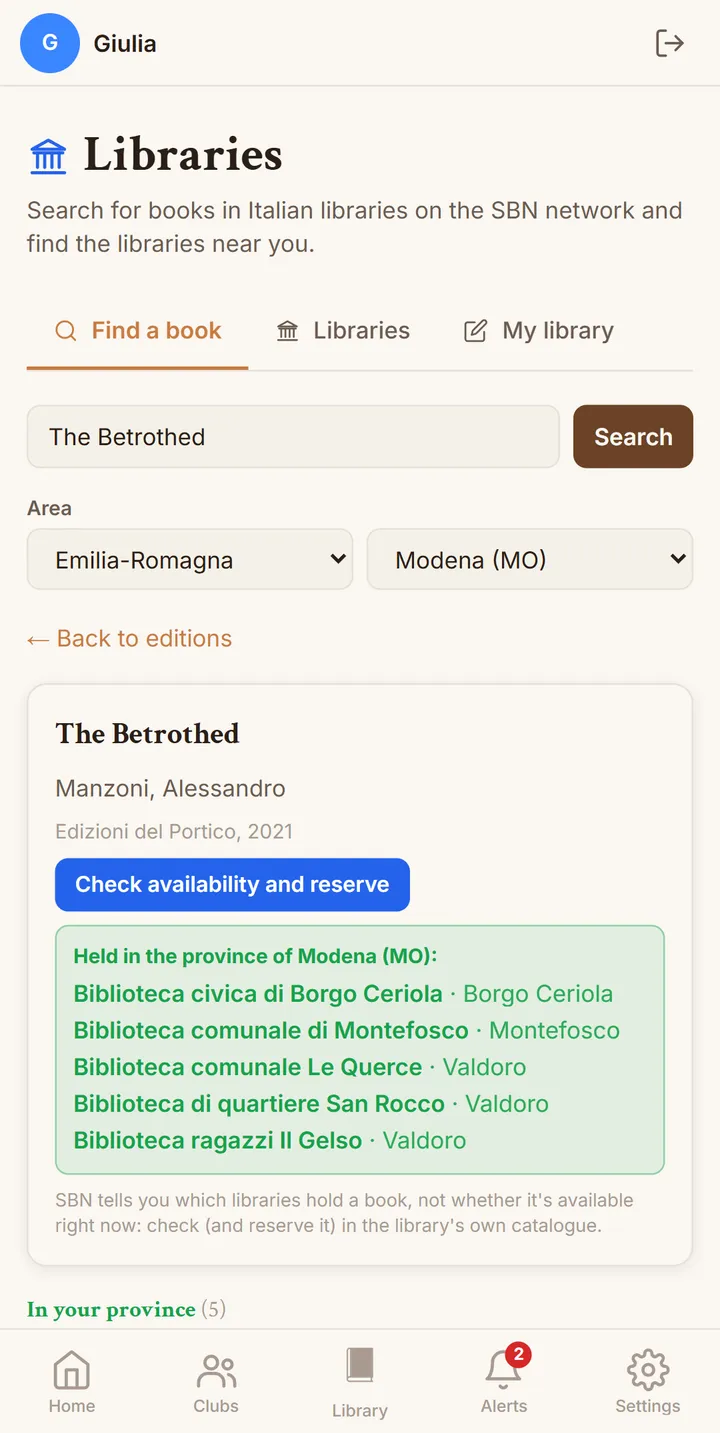
If the library is part of the SBN network, people can search your catalogue straight from its page; and whoever looks for a book in the app sees which libraries in their province hold it, with a link to check availability and reserve it.

Teamwork

A library can have several managers: invite your colleagues by email, and each of them can update the page and publish on behalf of the library with their own account, always seeing who else manages it.

How to sign up

Six steps, from finding your library to managing it

Signing up takes a few minutes and has a single requirement: being able to read the mail sent to the library's official email address, the one listed in the Italian Libraries Registry. That is where we send the confirmation code, so that we can be sure the page is managed by people who actually work at the library.

  1. 1

    Sign in to NICEtoREADtoo

    Sign in with your account on nicetoreadtoo.com or in the Android app; if you do not have one yet, signing up is free and only needs an email address or a Google account. A personal account is perfectly fine, because the library is linked to you in the next steps.

  2. 2

    Open the Libraries section

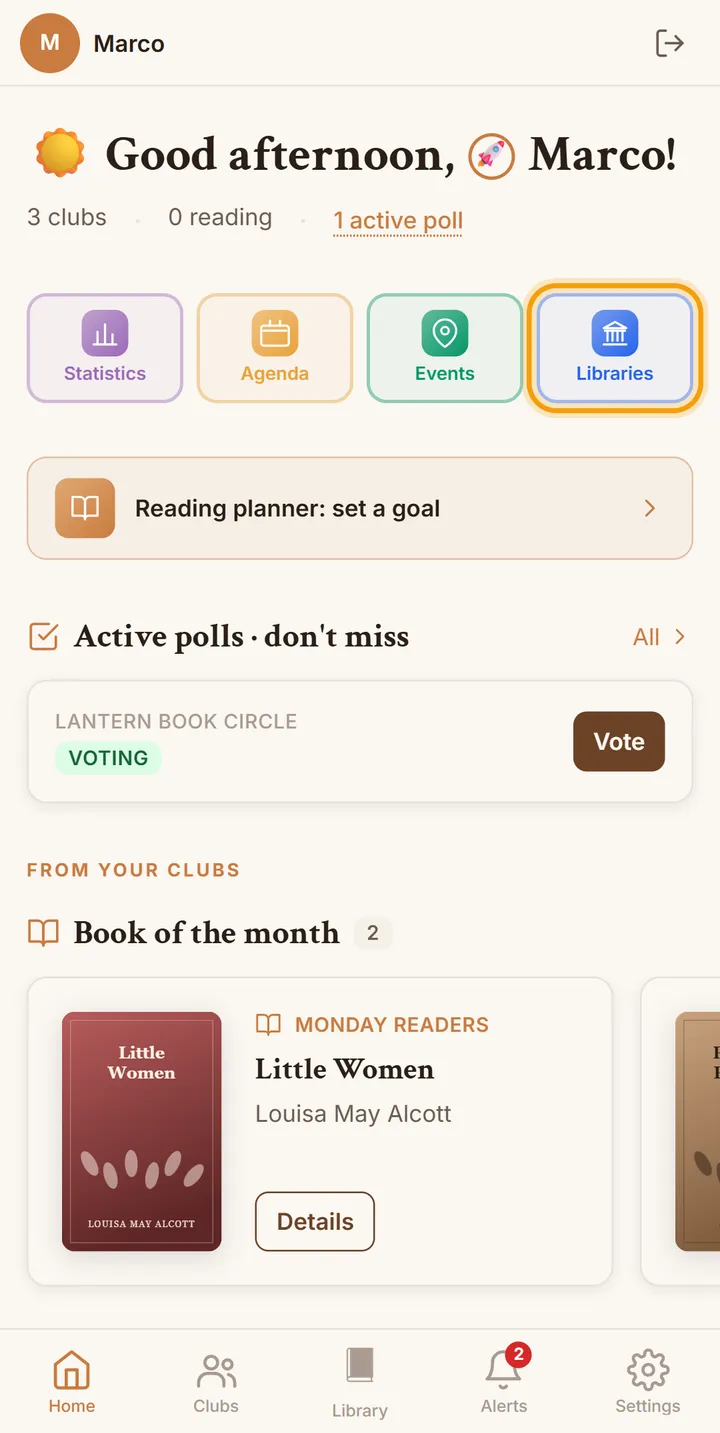
    On the Home screen tap the blue "Libraries" button, among the shortcuts at the top. If you cannot see it, it has been hidden: you switch it back on in Settings, in the Libraries box, with "Show the library buttons".

    Open the Libraries section
  3. 3

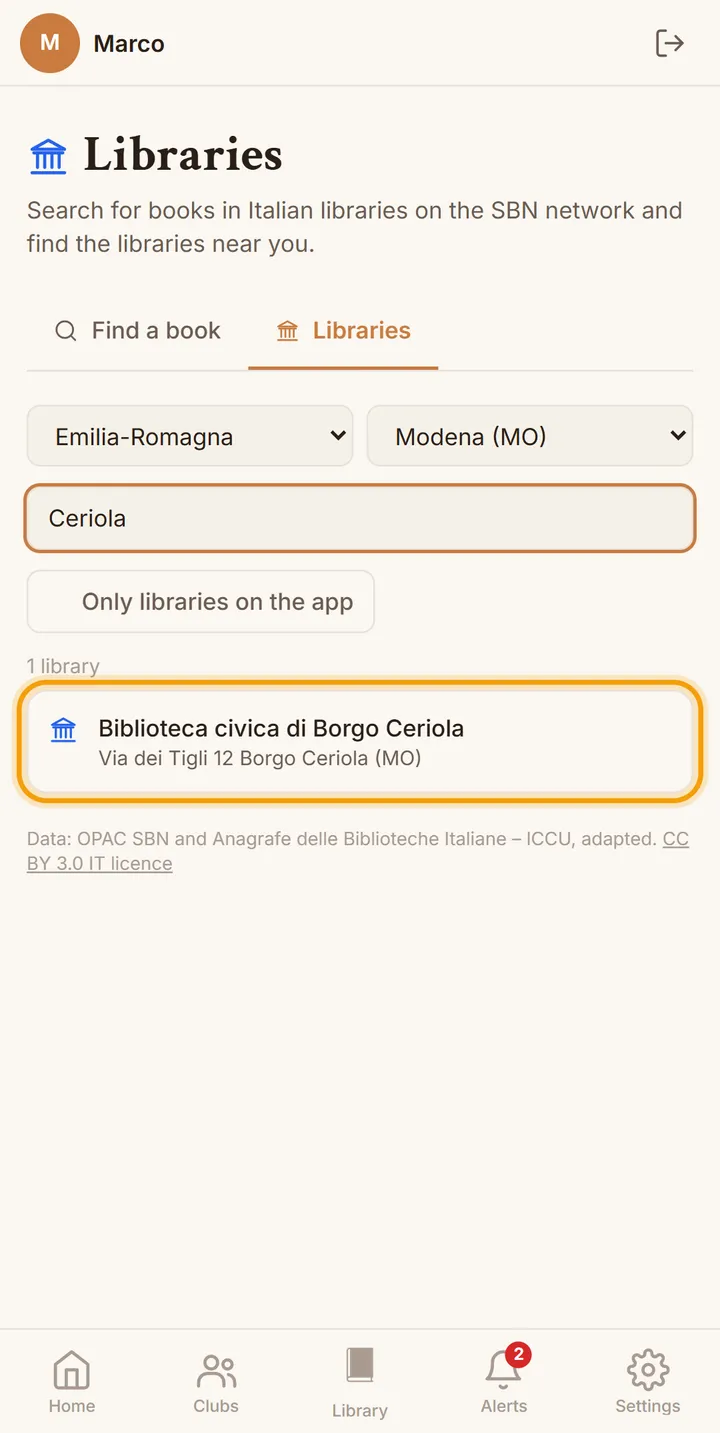
    Find your library

    Choose the "Libraries" tab: the list starts from the province set in your Settings, and you can change region and province or type part of the name in the "Search by name" field. The list includes every library in the Registry that is open to the public, including those not yet signed up.

    Find your library
  4. 4

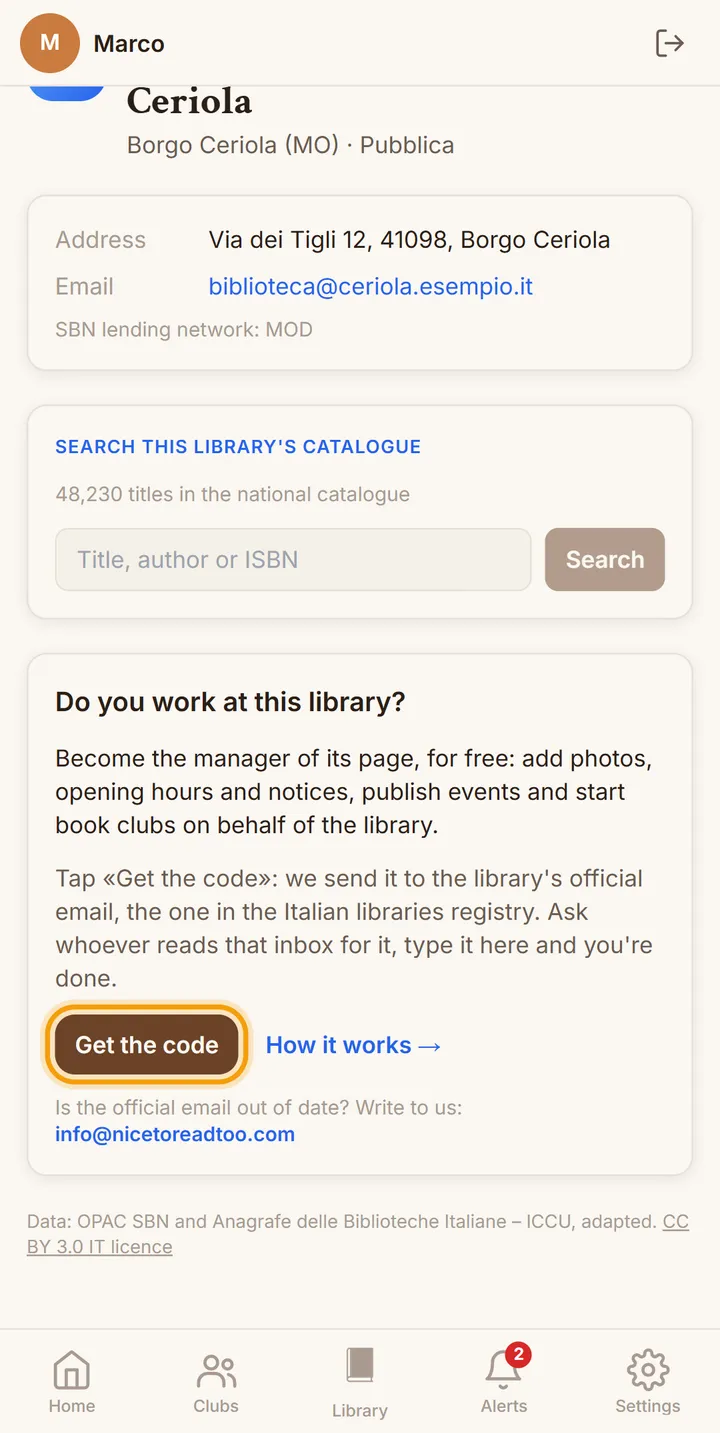
    Open its page and ask for the code

    Tap the library's name and scroll down to the "Do you work at this library?" box. When you press "Get the code" we send a six-digit code to the library's official email, and the screen shows the address it went to, partly hidden.

    Open its page and ask for the code
  5. 5

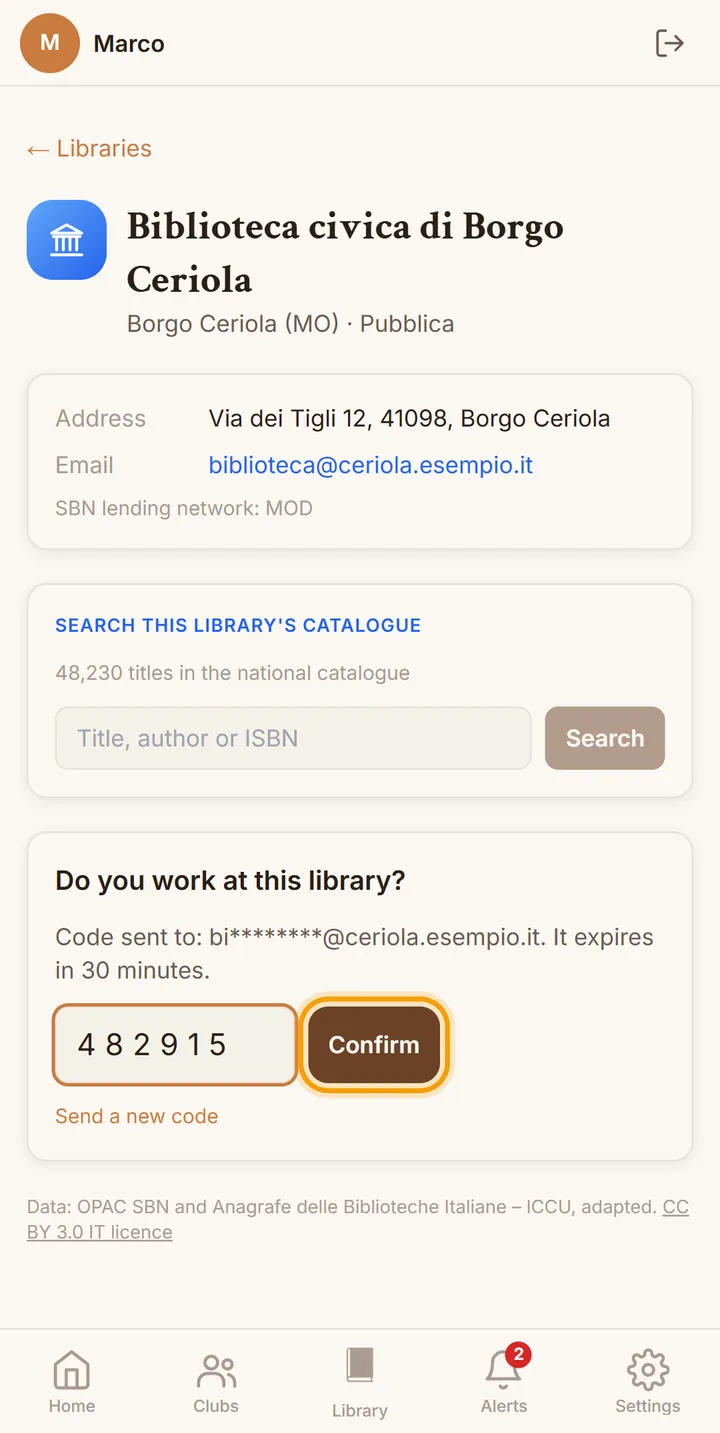
    Enter the code and confirm

    Open the library's mailbox, or ask the colleague who reads it for the code, type it in the field and press "Confirm". The code is valid for thirty minutes; if it expires or does not arrive you can ask for another one from the same box, up to three times a day.

    Enter the code and confirm
  6. 6

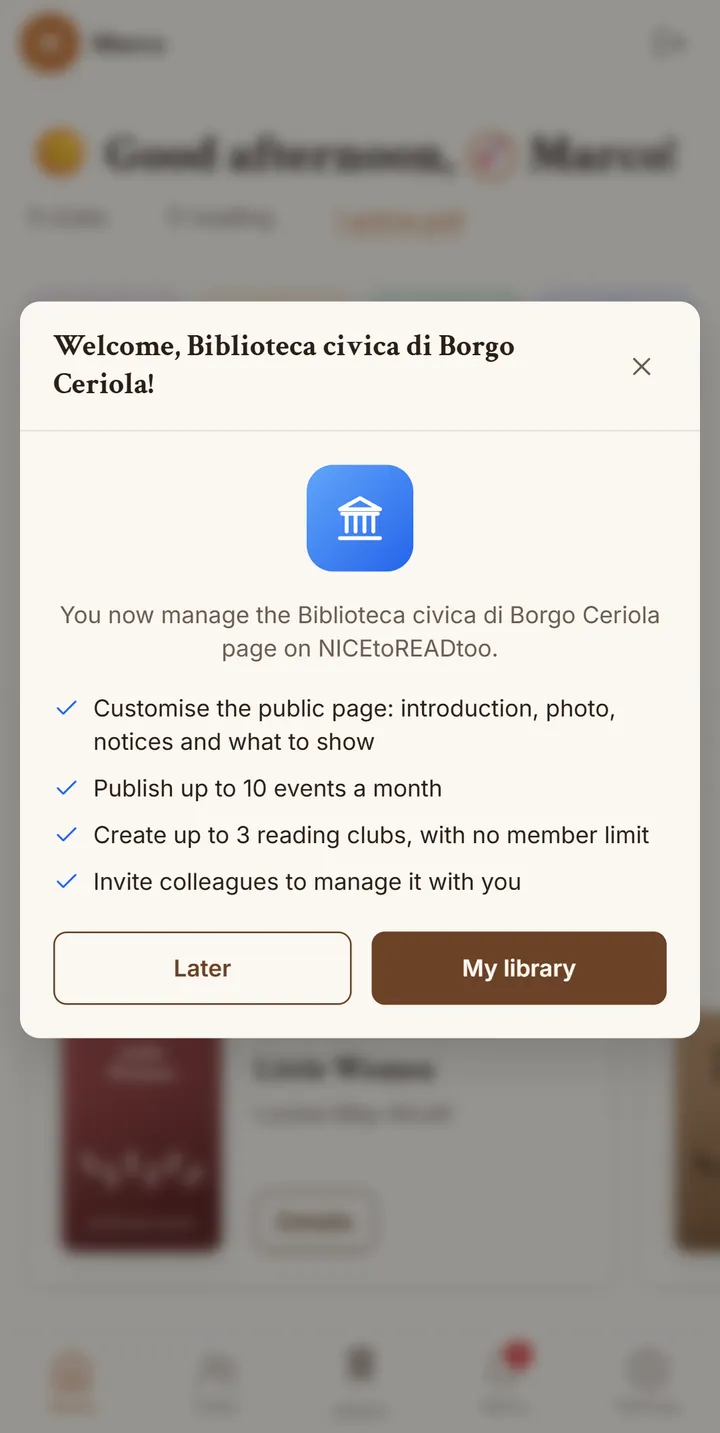
    The page is yours

    As soon as the code is confirmed we welcome you, and the "My library" tab appears for you in the Libraries section, where you look after the page and invite your colleagues. From then on you can also publish events and open reading clubs on behalf of the library.

    The page is yours

By linking the library to your account you declare that you are authorised to act on its behalf, by the library itself or by the body it belongs to, as set out in the Terms of service.

There is also a shorter way

If you create your NICEtoREADtoo account directly with the library's official email address, you do not need a code: as soon as you confirm the address with the link we send you, or if you sign in with a Google account that uses that very address, we recognise the library and link it to your account by ourselves. The first time you open the app you will already find the welcome message and the "My library" tab.

Did a colleague invite you?

Open the link you received by email, sign in or sign up with the same address the invitation was sent to and press "Accept": you become a manager of the library without needing a code. The invitation is valid for seven days and can be used only once.

Is the official email no longer valid?

If the library has no email address in the Registry, or the one listed is no longer in use, write to info@nicetoreadtoo.com from the library's address or your organisation's: we carry out our checks and link the library to your account ourselves.

Your sections

What you find in "My library" and in the app

The page everyone sees

The page everyone sees

In the first part of "My library" you write what readers see when they open your page: a photo or logo, an introduction of up to 500 characters, the highlighted notice, your opening hours and up to four links. Address, phone, email and website come from the Registry instead, and update by themselves.

  • The notice can have an end date: after that day it disappears without you having to remove it.
  • The introduction and the notice are visible to everyone, and go through the same checks as every public text in the app.
  • With "See the public page" you check the result exactly as others see it.
You decide what to show

You decide what to show

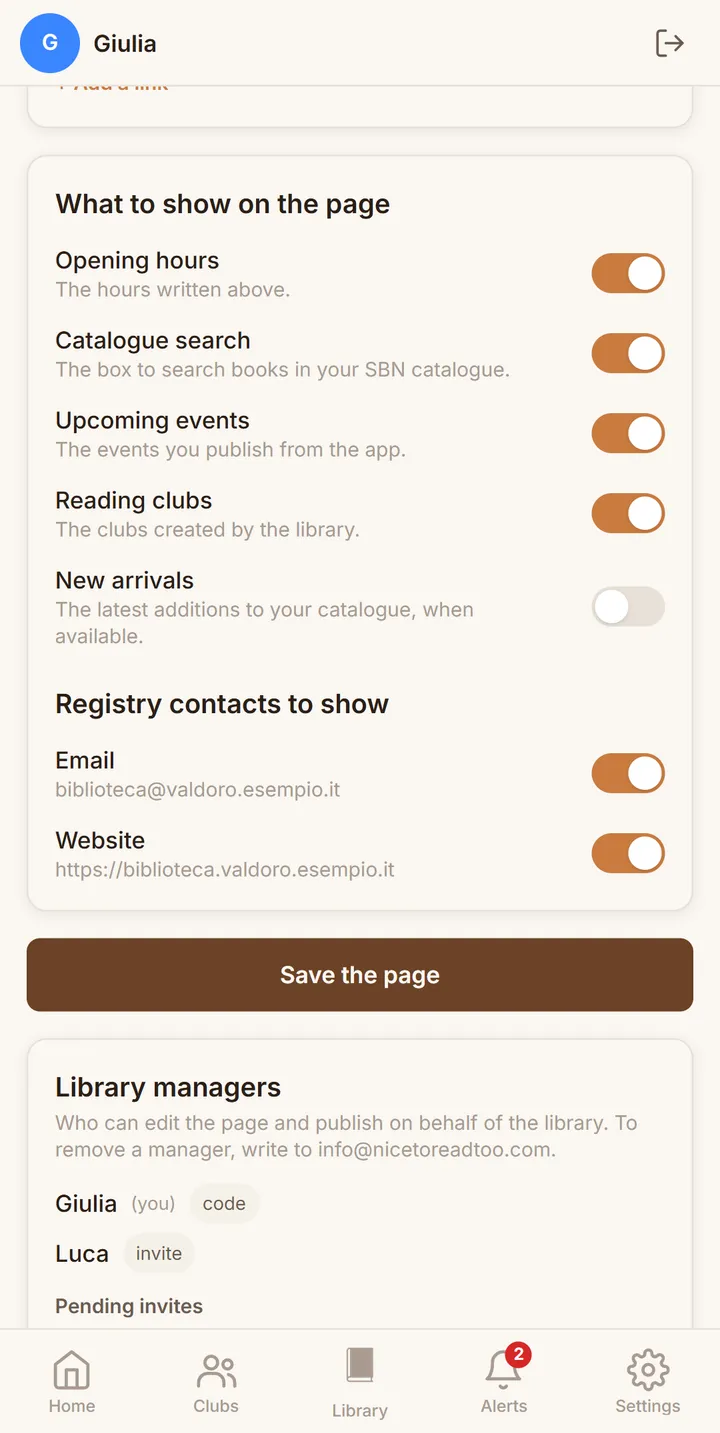
With the switches in "What to show on the page" you choose which parts appear: opening hours, the search in your catalogue, upcoming events and reading clubs. In the same way you decide which Registry contacts to show, for example the email and the website but not the phone number.

  • At first everything is switched on, so you only turn off what you would rather not show.
  • The catalogue search only appears if the library's catalogue can be searched in the SBN network.
  • Changes are saved with "Save the page", and from then on everyone sees them.
Events on behalf of the library

Events on behalf of the library

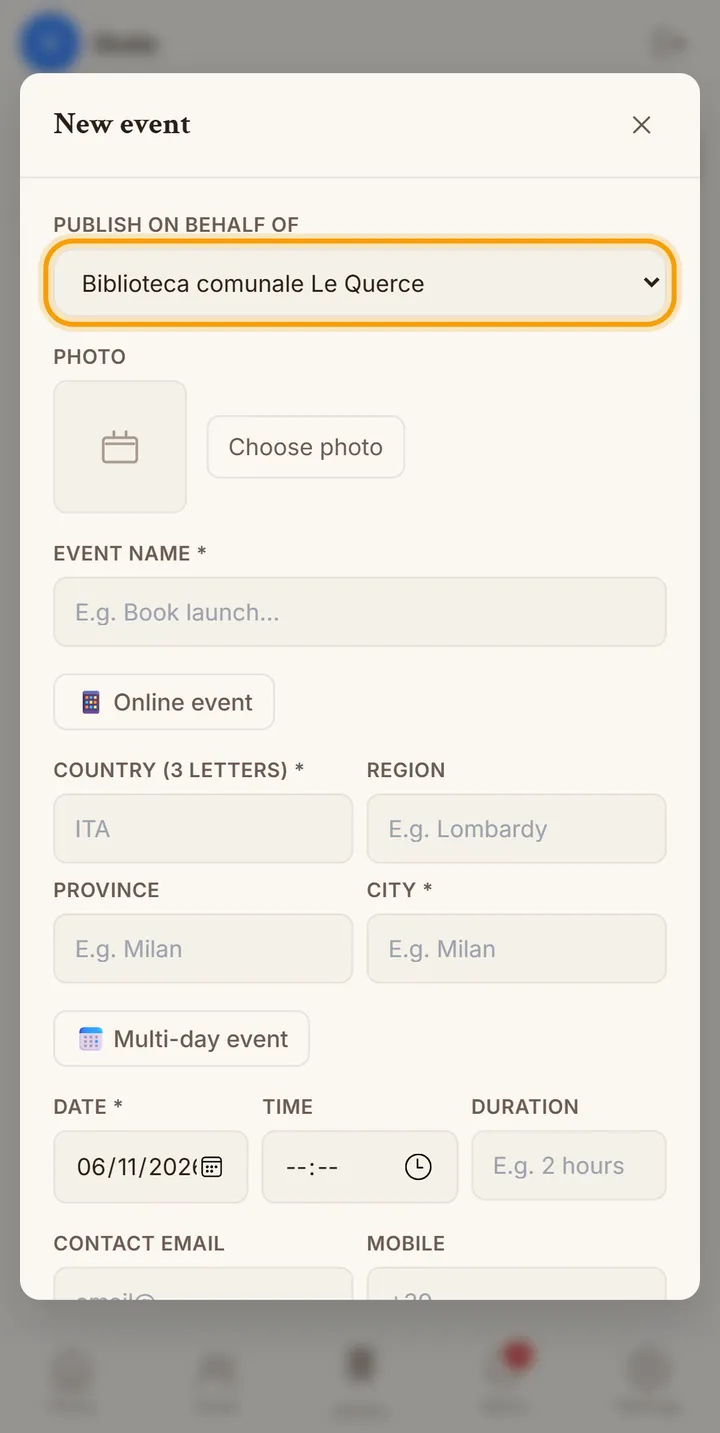
When you add an event in the Events section, under "Publish on behalf of" you choose the library: the event carries its name and appears both among the events in your area and in the "Upcoming events" of your page. You can publish up to ten a month, whatever your personal plan.

  • Each event can have a photo, a venue or an online link, a date, a time and a duration.
  • You can say whether booking is required and leave a contact for anyone who wants to take part.
  • The limit of ten events a month applies to the account, even if you manage several libraries.
The library's reading clubs

The library's reading clubs

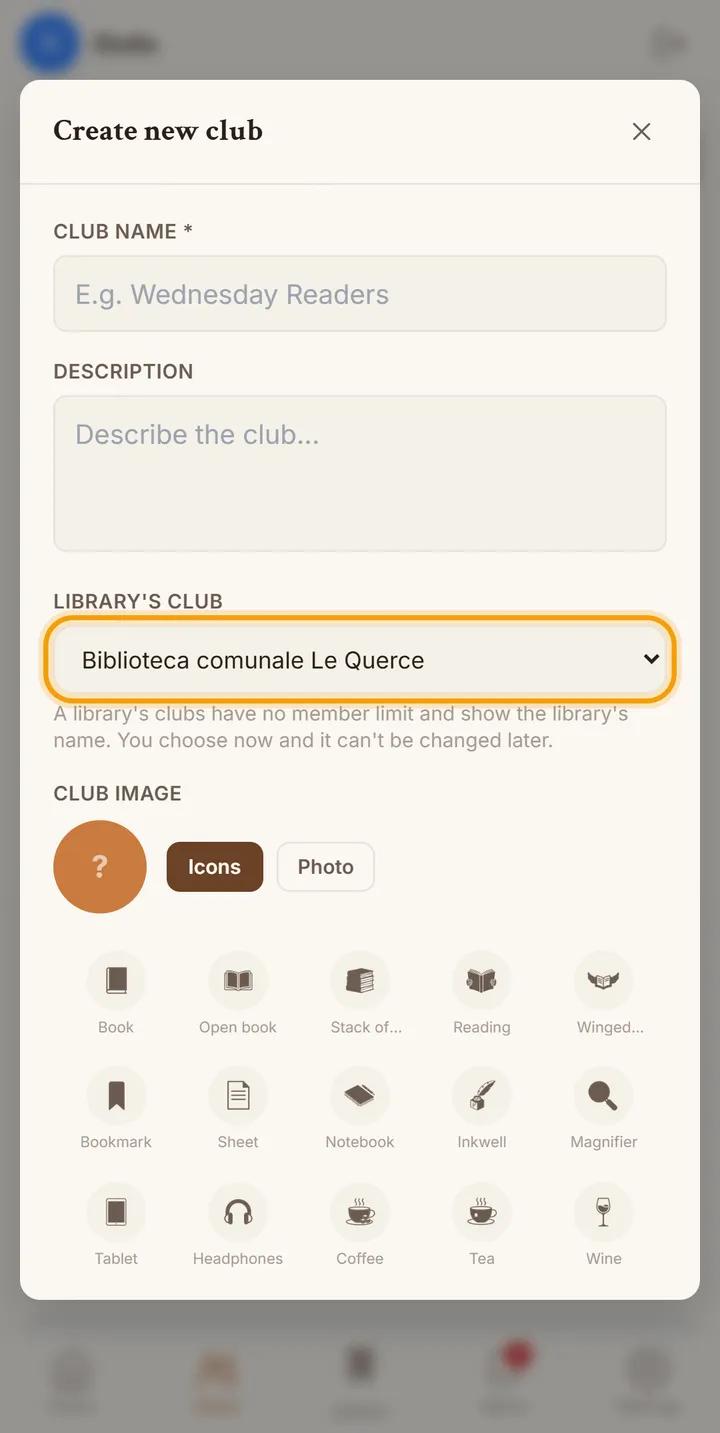
When you create a club you can mark it as a "Library's club": it has no limit on members and shows the library's name to anyone who comes across it in the app. You can open at least three, and if your personal plan allows more, the higher number applies.

  • The library is chosen when the club is created and does not change afterwards, so the group always stays recognisable.
  • Members suggest books, vote in polls and receive meeting reminders.
  • The library's clubs also appear on your page, with their number of members.
Managers and invitations

Managers and invitations

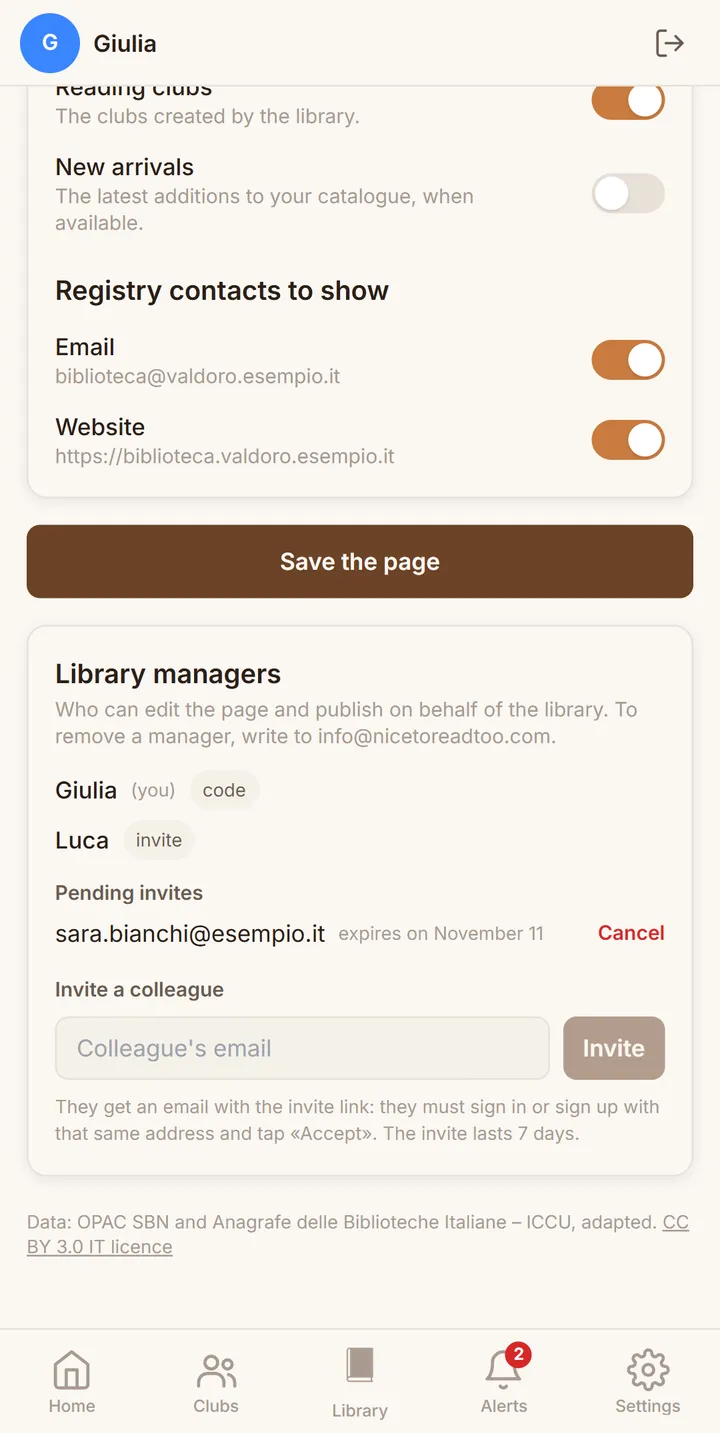
At the bottom of "My library" you see who manages the library with you and how they joined, and you can invite a colleague by typing their email: they receive a message with the invitation link, which is valid for seven days.

  • Pending invitations stay on the list until they are accepted, and you can cancel them at any time.
  • One person can manage several libraries, and each library can have several managers.
  • To remove a manager, just write to info@nicetoreadtoo.com.

From the readers' side

How readers find your library

The public page, with the highlighted notice
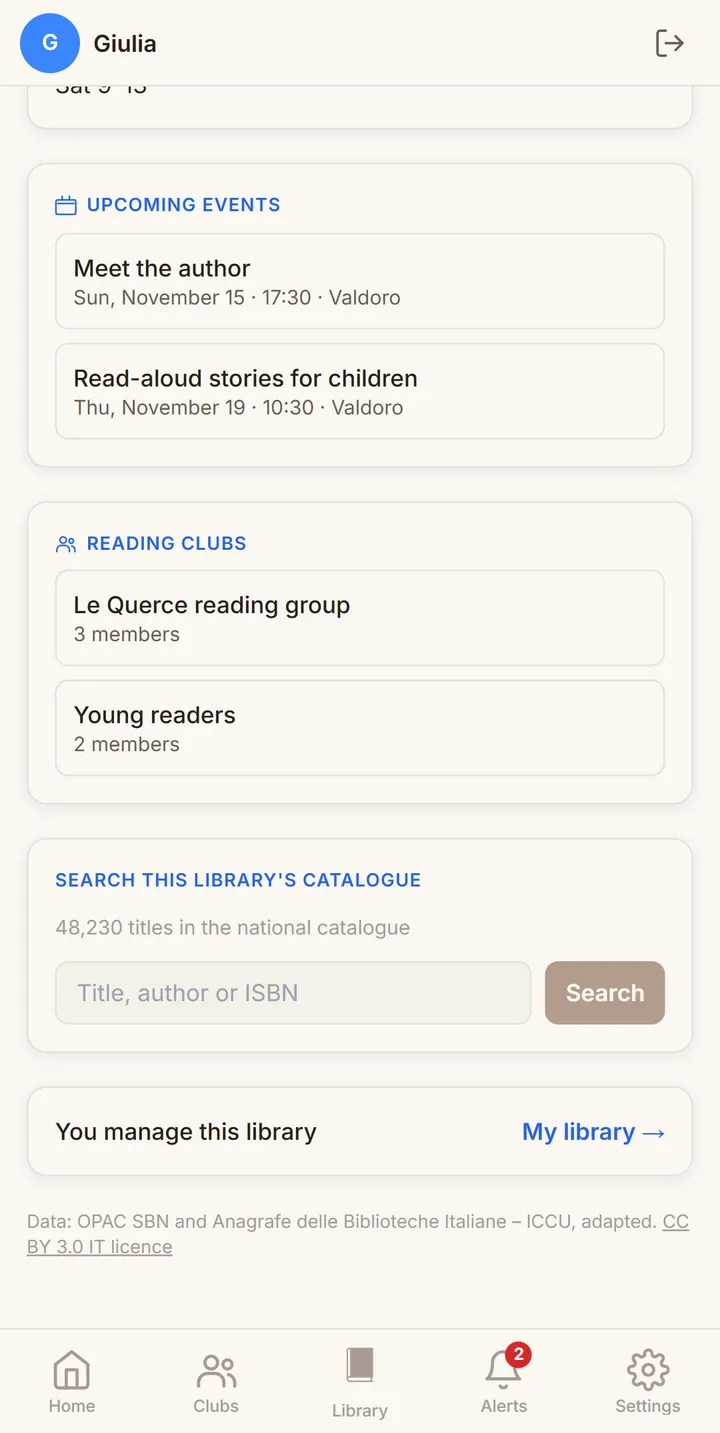
The library's upcoming events and reading clubs
Searching the library's catalogue
"Find a book": the libraries in the province that hold it

App screens with example libraries, people and events.

Our commitment

Clarity for you, respect for readers

Free for the library

Signing up the library and managing its page costs nothing, and we do not ask you to take out a subscription to publish events or open clubs on behalf of the library.

A serious check

We link a library only to people who show they can read its official email, either with the code or by signing up from that address: an address on the same domain is not enough, and we are notified of every new link.

Always up-to-date data

The name, address and contacts on the page come from the Italian Libraries Registry and are updated every month, so when they change there they also change in the app, without you having to do anything.

Lending stays with you

The app shows which libraries hold a book, but availability and reservations stay on the libraries' catalogues: the "Check availability and reserve" button takes readers to the SBN catalogue, and from there to your services.

Checked texts

The introduction and the notice are visible to everyone and go through the same checks as every public text in the app; if a text is reported as inappropriate we remove only that text, and the page stays online.

Several people, one page

Each manager signs in with their own account and sees who else manages the library; when someone leaves the role you write to us and we remove them, without touching the page or your colleagues' work.

Questions

Frequently asked questions

Anyone who works at an Italian library open to the public, listed in the Italian Libraries Registry, and can read its official email, whatever the type of library. By linking it to their account they declare that they are authorised to act on behalf of the library or of the body it belongs to.
It is the address listed in the Italian Libraries Registry, which you can also see on the library's page in the app, under Email. For now we only use ordinary email and not certified email (PEC), because many PEC mailboxes do not accept messages from non-certified addresses; if the address is no longer valid, write to us.
The list includes the libraries open to the public in the Registry and is updated every month. Try searching with a single word of the name or by choosing its province; if it still does not appear, for example because access is restricted, write to info@nicetoreadtoo.com and we will link it for you.
Yes. You can sign in with your usual account and link the library with the code, or create an account with the library's email. Your personal plan stays the one you chose: the library only adds the management of its page, and the events and clubs in its name.
Each library is linked with its own code, and you can repeat the request from each library's page. If the official email is shared by several libraries, the first time you sign in we ask which one you manage; we add the others ourselves if you write to us.
No. Everything related to the library, from signing up to the page, events and clubs, also works on the nicetoreadtoo.com website, from a computer, tablet or iPhone.
Write to info@nicetoreadtoo.com: we remove a single manager or unlink the library. The page remains available with the Registry data, like that of any library that has not signed up.
No, we do not work with ICCU, but we think its services are invaluable: the Italian Libraries Registry and the SBN catalogue are a free public service that is genuinely useful to readers, and NICEtoREADtoo relies on their open data to show the libraries and the books they hold. This does not make us affiliated with ICCU or with the libraries listed: having a page does not mean there is any relationship with the library until one of its managers activates it.

Start from your library's page.

Open the Libraries section, find your library and ask for the code: it only takes a few minutes, and from then on the library's page, events and clubs are looked after by you.

Do you have questions before you start, or do you run a network with many branches? Write to info@nicetoreadtoo.com: we will reply personally within a couple of days, with no commitment.

Find your library