 NICEtoREADtoo
Authors' Showcase: how to introduce your book to the readers who love its genre
For new authors, self-publishers and publishers: a dedicated book page, an excerpt to read in the app and clear statistics
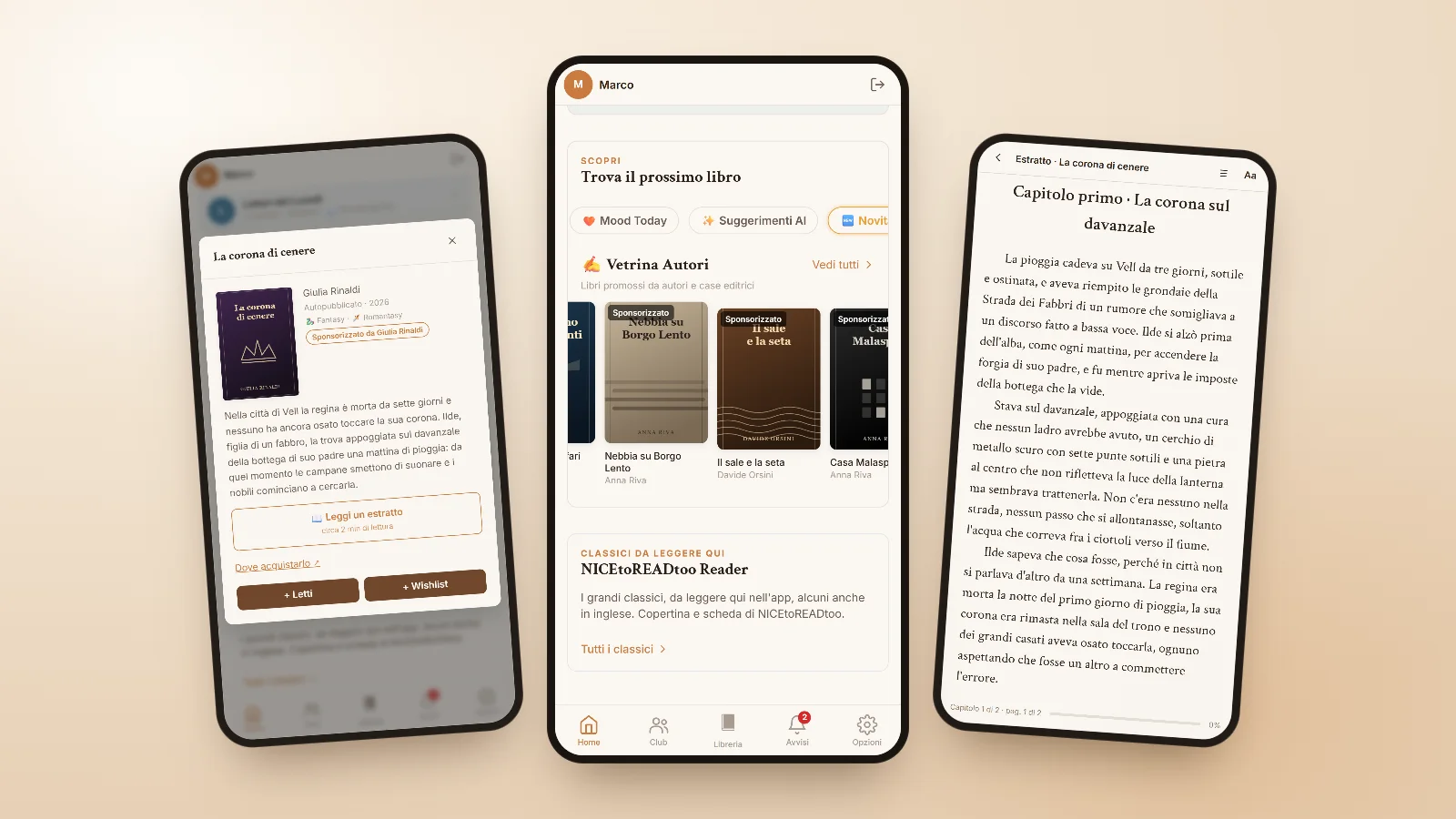
Anyone who has written a book knows it well: finishing the manuscript is only the beginning. The hardest step, especially for new authors and for those who choose self-publishing, is getting it to the right people, the ones who love exactly that genre and who, if they came across it on the right shelf, would pick it up without a second thought. The same goes for small publishers, who bring out wonderful books with very little means to make them known.
The NICEtoREADtoo Authors' Showcase was designed for this: it puts your book in front of readers who chose its genre, with a carefully presented page and the chance to read its first pages right inside the app. It is an honest space, because promoted books are always marked as such and never take the place of normal results.
Where readers see it
Showcase books appear in the Discover section of the Home page, in a row that scrolls by itself, and in the Featured row of Library searches. Every reader picks the two genres they most enjoy, or lets the app suggest them based on the books they have read and the ratings they gave, and the showcase mostly shows those: your book reaches people who have already said they love that kind of story.
Tapping the cover opens the book page, with the plot, genres and author, where the reader can add the book to their Library or see where to buy it. The Showcase row on Home appears from 1 December 2026; in the meantime you can already request access, prepare your book pages and book your spots.
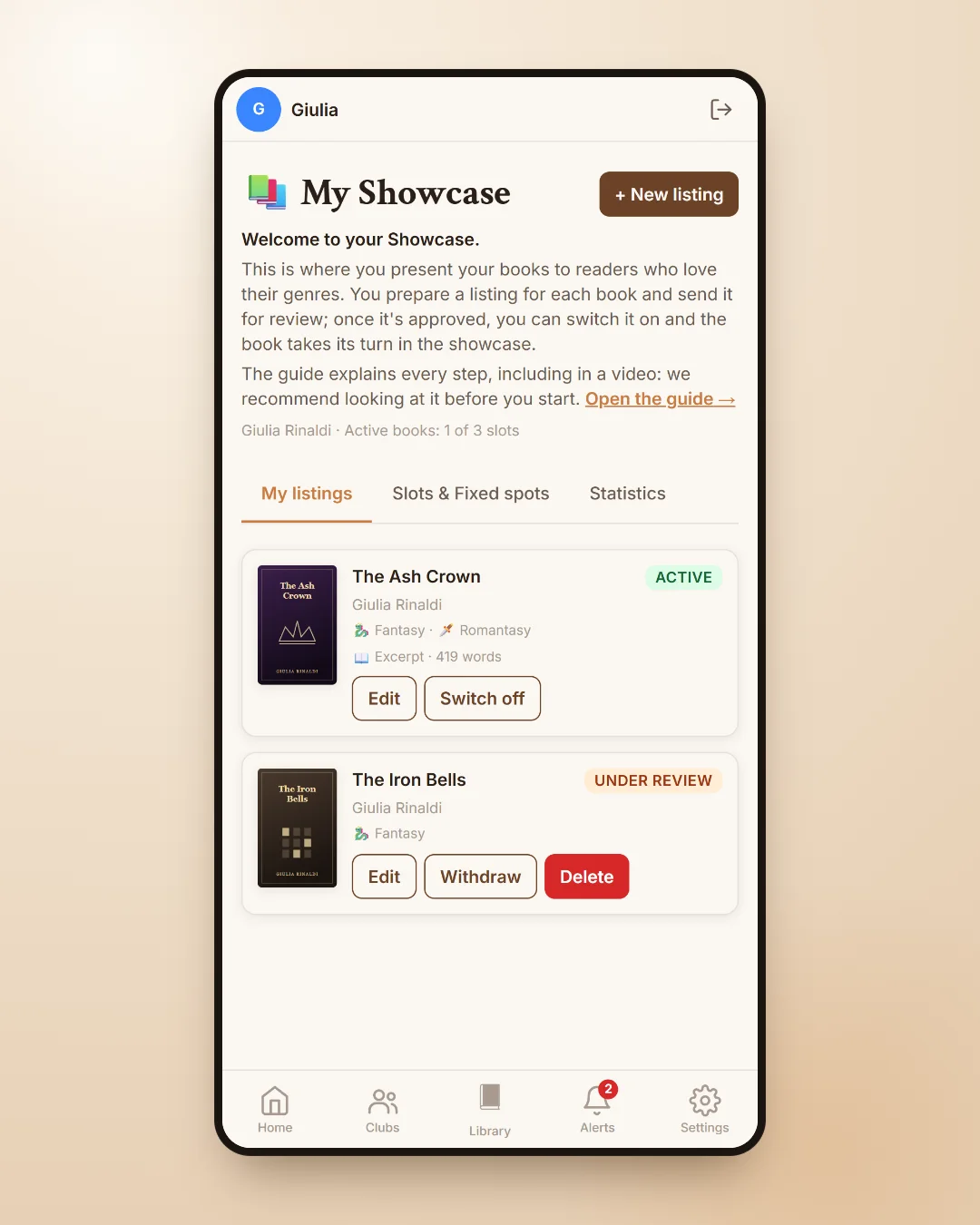
An excerpt that reads like a real book
The most valuable part of the page is the excerpt. You upload the first pages of your book in Word or LibreOffice and the app lays them out for its reader, with the same fonts and colours as the classics, taking the chapters from the heading styles of your document. We suggest around fifteen thousand words, enough to draw the reader into the story, and the preview shows you the excerpt exactly as readers will see it.
Readers find the Read an excerpt button on the page, read at their own pace and, at the end, can add the book to their wishlist or go to where it is sold. It is a little like leaving your book open on a bookshop table for anyone passing by.
Fixed spot, Boost and extra slots
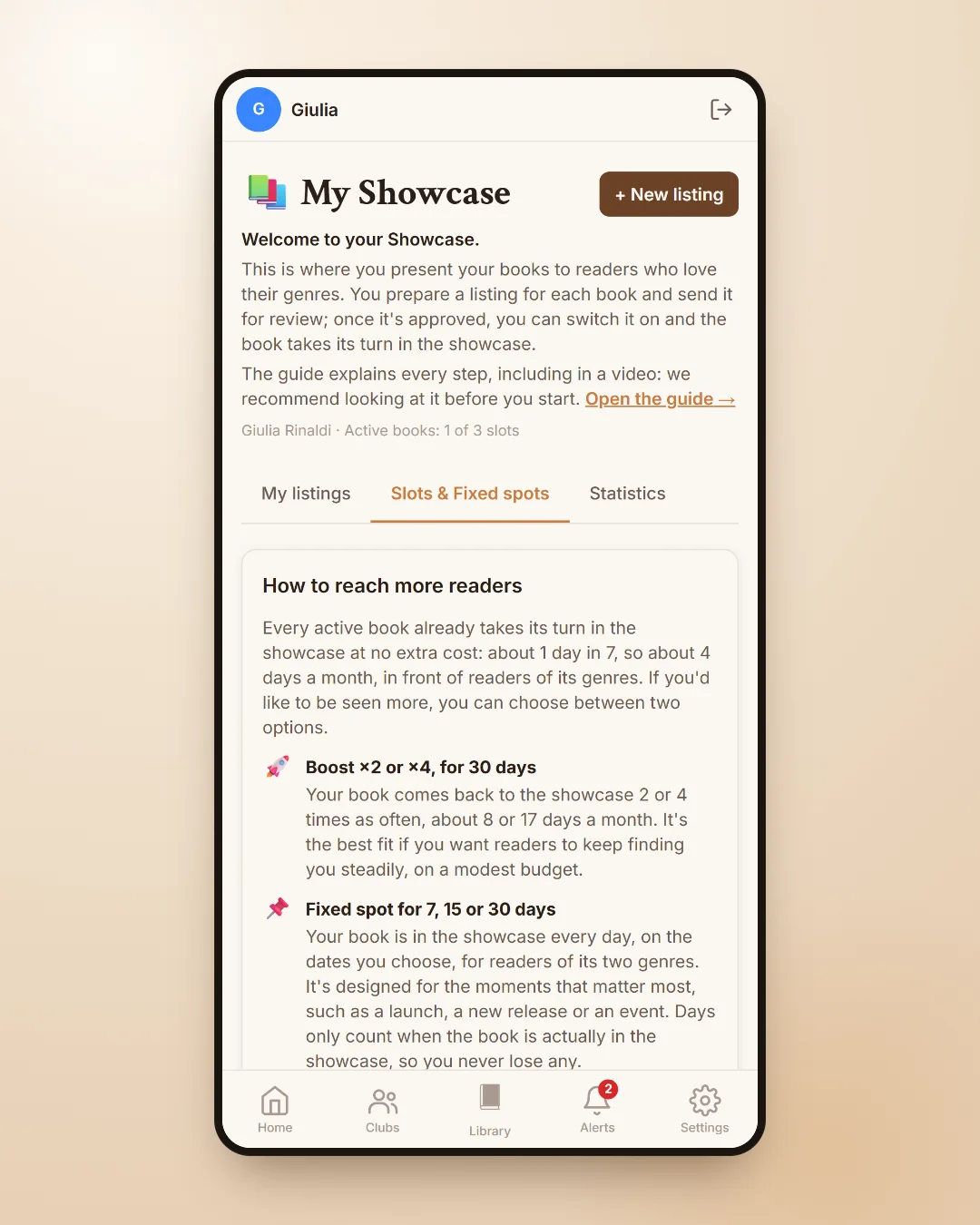
Besides the included slot you can choose how to be seen more. A Fixed spot guarantees your place in a genre's showcase for seven, fifteen or thirty days, starting from the date you book: it is ideal for a launch, a book event or a new release. A Boost makes the book appear more often for thirty days, so readers keep finding it. If you have more than one book, you can add extra slots.
In the Slots & Fixed spots section you will find a simple explanation of how to reach more readers, so you can decide calmly what you need.
Clear statistics and a few tips
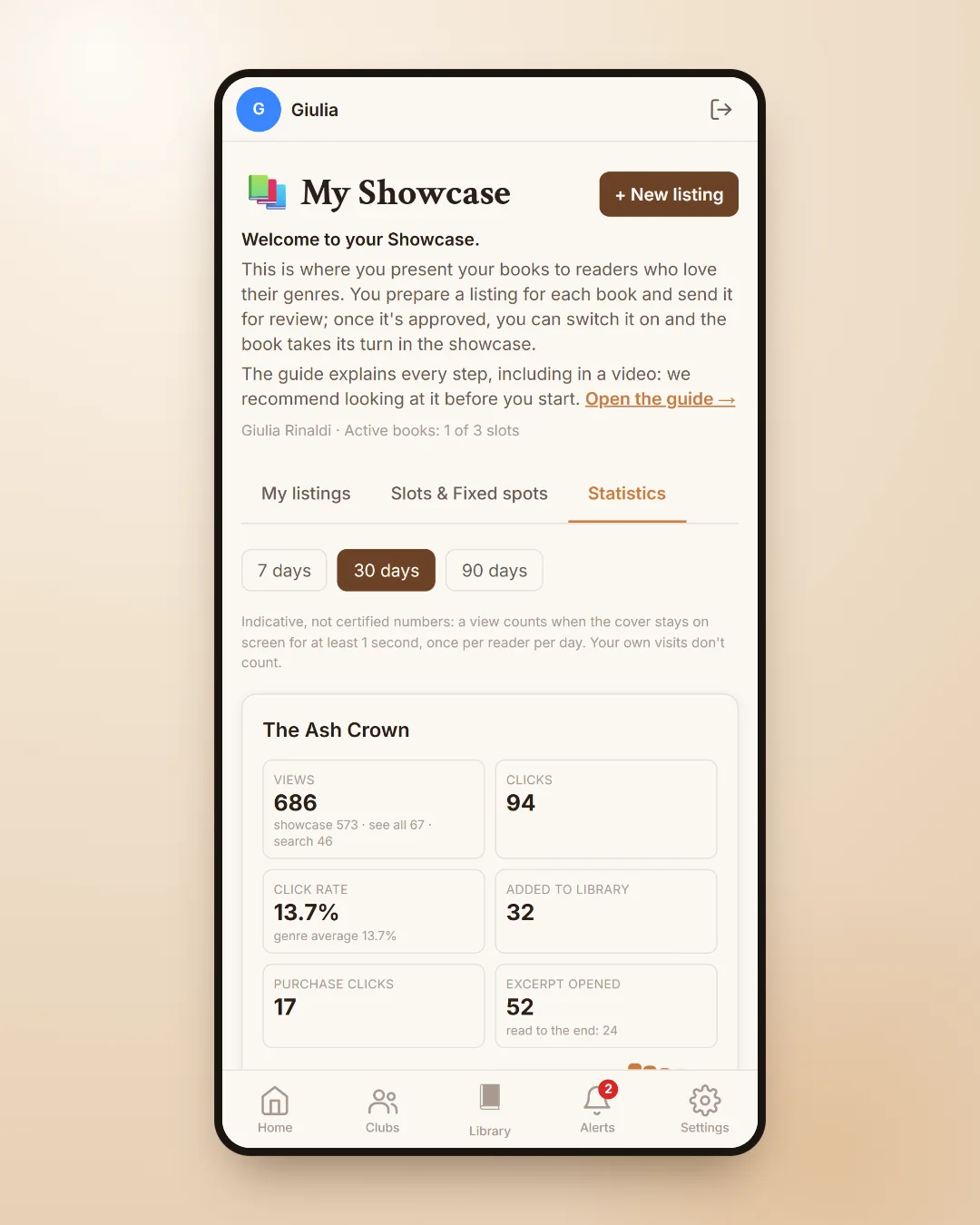
In the Statistics tab you can see how many times your book was shown, how many times its page was opened, how many people read the excerpt and how many added it to their Library, day by day. Next to the numbers you will find a few practical tips to improve the page, so you can see what is worth working on, from the cover to the description.
These numbers are meant to be read by a person, not a marketing department, and they help you understand what works without wasting time.
How to get started
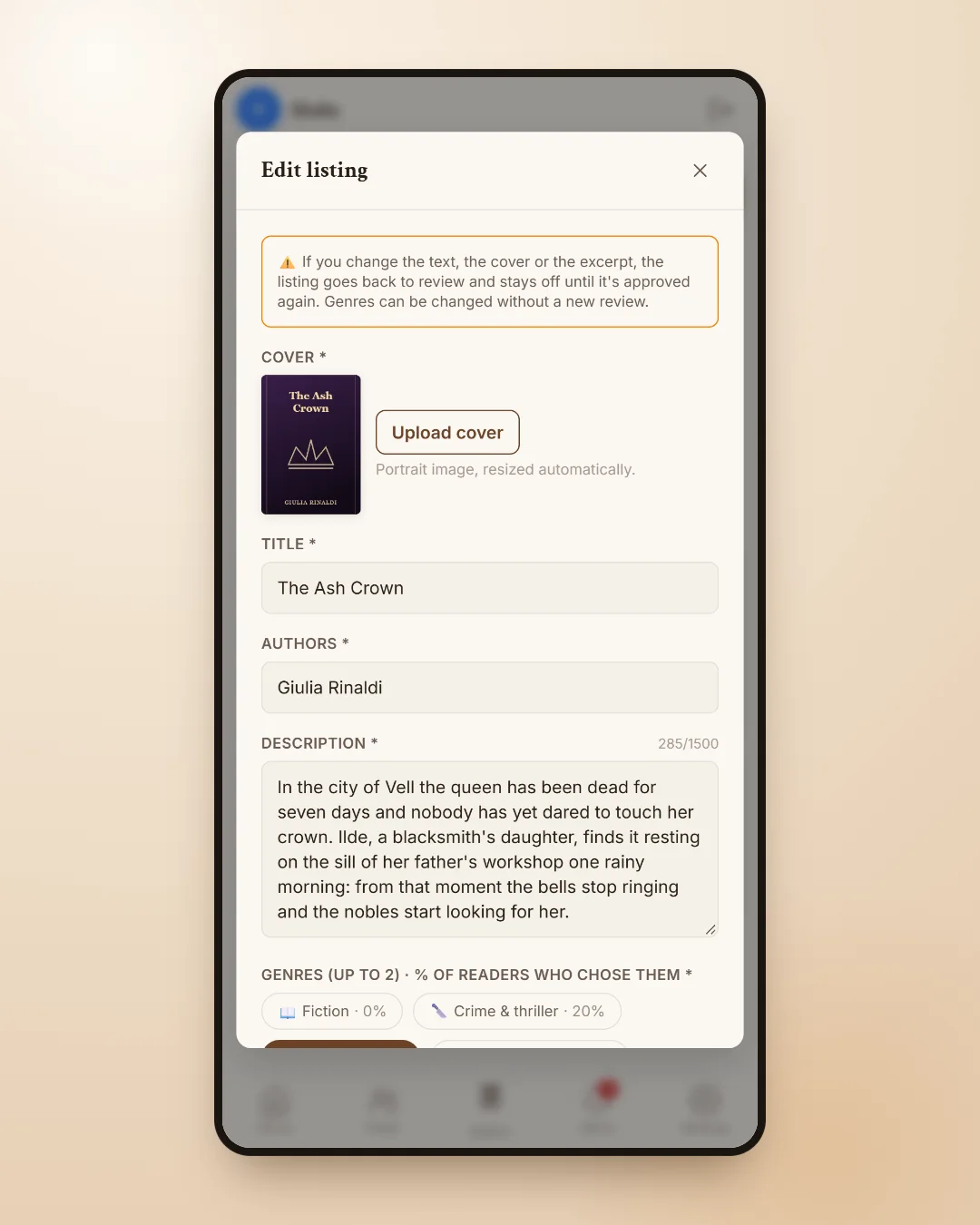
The Showcase is available on the Premium Plus plan. In Settings you request access as an author or publisher; once your request is accepted, the Manage your Showcase strip appears on Home and takes you to your book pages. You fill them in, send them for review and, once approved, they join the rotation in the showcase of their genres.
- Choose two genres that truly describe the book: you will reach the right readers.
- Write the description like a back cover, with a clear plot and without giving away the ending.
- Upload an excerpt that reads well up to the end of a chapter.
- If you have a book event coming up, book a Fixed spot for those days and publish the event in literary events too.
All the information for authors and publishers is on the Authors' Showcase page, and if you would like to get to know the rest of the app there is the overview NICEtoREADtoo, the app for people who love reading.
Frequently asked questions
How can I promote my book on NICEtoREADtoo?
With the Premium Plus plan you request access to the Authors' Showcase in Settings. Once accepted, you create your book page, choose two genres, upload an excerpt and, after review, the book joins the rotation in the showcase of readers of those genres.
Is the Authors' Showcase suitable for self-publishing?
Yes. It is designed both for self-published authors and for publishers, large or small: what matters is a well-presented book page and well-chosen genres.
When does the Showcase appear on readers' Home page?
The Showcase row on Home appears from 1 December 2026. You can already request access, prepare your book pages and book Fixed spots.
What is the excerpt and which format does it need?
It is the first pages of your book, uploaded as Word (.docx) or LibreOffice (.odt). The app lays them out for its reader, taking chapters from the heading styles; we suggest around fifteen thousand words.
What is the difference between a Fixed spot and a Boost?
A Fixed spot guarantees your place in a genre's showcase for 7, 15 or 30 days from the date you book. A Boost makes the book appear more often for 30 days.
Do readers know the book is promoted?
Yes. Showcase books are always marked as promoted and never replace normal search results.